From MIF to API-First: Modernizing Your Maximo Integration Architecture
A practical guide to modernizing Maximo integration architecture from legacy MIF patterns to API-first, event-driven approaches using MAS REST APIs, webhooks, and IBM App Connect.

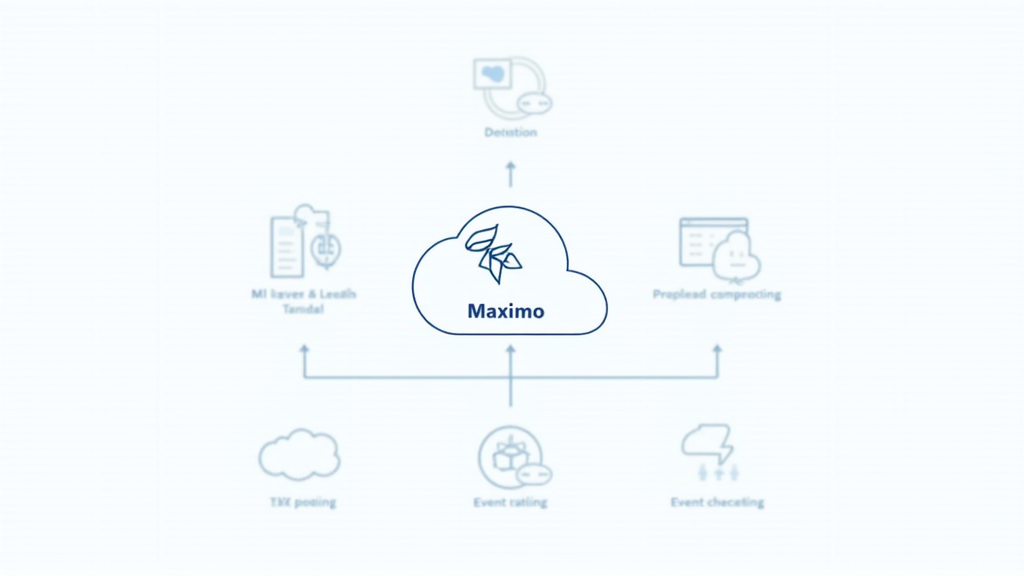
From MIF to API-First: Modernizing Your Maximo Integration Architecture
Introduction
For nearly two decades, the Maximo Integration Framework (MIF) has been the backbone of data exchange between Maximo and the enterprise systems surrounding it. Built on XML messaging, JMS queues, and a configuration-driven approach to object structures, publish channels, and enterprise services, MIF has served organizations well. It enabled countless integrations with ERP systems, data warehouses, CMMS platforms, and custom applications. But the technology landscape has shifted. Cloud-native architectures, API-first design patterns, event-driven messaging, and the demand for real-time data have exposed the limitations of MIF's legacy approach.
With the arrival of Maximo Application Suite (MAS) and its modern API layer, organizations now have a clear path forward. MAS introduces RESTful APIs, GraphQL support, OSLC (Open Services for Lifecycle Collaboration) endpoints, and webhooks that fundamentally change how integrations are built and maintained. The question is no longer whether to modernize, but how to do it without disrupting operations. This article provides a practical roadmap for transitioning from MIF-centric integration patterns to an API-first, event-driven architecture that leverages the full power of MAS.
We will walk through the core components of MIF and their modern equivalents, examine real migration strategies, and provide concrete code examples for building integrations with the MAS REST API. Whether you are planning a greenfield MAS deployment or migrating an existing Maximo 7.6 environment, understanding this architectural shift is essential for building integrations that are scalable, maintainable, and future-proof.
Understanding the Legacy: MIF Architecture Deep Dive
The Maximo Integration Framework is built around four core concepts that work together to define, route, and transform data. Object Structures define which Maximo business objects and attributes are exposed in integration messages. A Work Order Object Structure, for example, might include WORKORDER, WOACTIVITY, WOLABOR, and WOSTATUS as related objects, each with specific attributes selected for the integration. Publish Channels define outbound messages that Maximo sends when records are created, updated, or deleted. A Work Order Publish Channel might fire when a work order status changes, serializing the affected record and delivering it to a configured endpoint. Enterprise Services handle the reverse: they accept inbound data from external systems, map it to an Object Structure, validate required fields, and create or update records using Maximo's business object layer. Endpoints define the delivery mechanism, which can be JMS queues, HTTP/S, SOAP web services, flat files, database tables, or email.
MIF also includes Processing Rules for conditional routing, XSL Transforms for data mapping, and External Systems as logical groupings of channels and services by integration partner. The message queue (JMSINTERNAL) is IBM MQ-based in most deployments, and failed message handling, dead letter queues, retry logic, and error notification are critical configuration elements for production MIF deployments.
While MIF is powerful and battle-tested, it has significant limitations in modern architectures. It is XML-centric at a time when JSON dominates API communication. It relies on polling and scheduled processing rather than real-time event streaming. Its configuration-driven approach, while flexible, becomes unwieldy at scale, especially when managing dozens of integrations across multiple external systems. MIF also lacks native support for modern authentication standards like OAuth 2.0, requiring custom workarounds for secure API communication. Perhaps most critically, MIF was designed for on-premises deployments and does not translate cleanly to cloud-native, containerized environments.
Common MIF Pain Points in Production
Organizations running MIF at scale encounter several recurring challenges. Queue backlogs are a frequent issue: when a downstream system goes offline, JMSINTERNAL queues fill up, and the backlog can take hours to clear even after the system recovers. Dead letter queue management becomes a full-time operational task in large deployments, with messages accumulating from schema mismatches, network timeouts, and data validation failures. XSL transforms, while flexible, are notoriously difficult to debug. A single malformed XPath expression can silently drop data from an integration message, and the error may not be discovered until a downstream system reports missing information days later. MIF's polling-based architecture also means that even simple integrations introduce latency. A publish channel configured to fire every five minutes means that a work order completion event may not reach the ERP system for up to five minutes, which can cause issues in environments where real-time cost tracking is required.
The MAS API Layer: REST, OSLC, GraphQL, and Webhooks
Maximo Application Suite introduces a modern API layer that runs alongside MIF and, over time, is designed to replace it for new integrations. The MAS API layer is built on four pillars. REST APIs provide standard RESTful endpoints for all major Maximo business objects, following conventions that any modern developer can work with. OSLC (Open Services for Lifecycle Collaboration) is an industry-standard protocol for asset and lifecycle data exchange that MAS has supported for years and continues to enhance. GraphQL offers a flexible query language for complex data retrieval across related objects, reducing the need for multiple API calls. Webhooks enable event-driven outbound notifications without polling, allowing external systems to subscribe to Maximo events and receive real-time updates.
The MAS Manage REST API follows standard RESTful conventions. The base URL pattern is https://{mas-host}/maximo/oslc/os/{resourcetype}, authentication uses OAuth 2.0 or API Key headers, and the content type is JSON. Core endpoints include GET for retrieving work orders, assets, and service requests; POST for creating records; PATCH for partial updates; and DELETE where applicable. The lean=1 query parameter strips OSLC metadata from responses, returning clean JSON that is recommended for most integration scenarios.
REST API Authentication and Security
MAS API security uses OAuth 2.0 for human-user tokens and API Keys for system-to-system integrations. API Keys are generated in the MAS API Key management console and scoped to specific applications and operations. This is a significant improvement over MIF, where authentication was typically handled through basic auth or IP whitelisting. For production integrations, OAuth 2.0 client credentials flow is recommended, as it provides token expiration, refresh capability, and audit logging. API keys should be rotated regularly and stored in a secrets management system, not in configuration files or environment variables.
Here is a practical example of querying assets using the MAS REST API with Python, including proper error handling and pagination:
import requests
import json
import time

# Configuration
MAS_HOST = "https://mas-instance.example.com"
API_KEY = "your-api-key-here"

def get_asset(assetnum):
    """Retrieve a single asset by asset number."""
    url = f"{MAS_HOST}/maximo/oslc/os/mxasset"
    params = {
        "oslc.where": f'assetnum="{assetnum}"',
        "lean": "1",
        "pagesize": "10"
    }
    headers = {
        "APIKey": API_KEY,
        "Content-Type": "application/json"
    }

    try:
        response = requests.get(url, headers=headers, params=params, timeout=30)
        response.raise_for_status()
        data = response.json()
        if data.get("member") and len(data["member"]) > 0:
            return data["member"][0]
        return None
    except requests.exceptions.RequestException as e:
        print(f"Error fetching asset {assetnum}: {e}")
        return None

def create_work_order(wo_data):
    """Create a work order in Maximo."""
    url = f"{MAS_HOST}/maximo/oslc/os/mxwo"
    headers = {
        "APIKey": API_KEY,
        "Content-Type": "application/json"
    }

    payload = {
        "wonum": wo_data.get("wonum"),
        "description": wo_data.get("description"),
        "assetnum": wo_data.get("assetnum"),
        "worktype": wo_data.get("worktype", "CM"),
        "status": wo_data.get("status", "APPR"),
        "schedstart": wo_data.get("schedstart"),
        "schedfinish": wo_data.get("schedfinish"),
        "priority": wo_data.get("priority", 3)
    }

    try:
        response = requests.post(url, headers=headers, json=payload, timeout=30)
        response.raise_for_status()
        return response.json()
    except requests.exceptions.RequestException as e:
        print(f"Error creating work order: {e}")
        if response.status_code == 400:
            print(f"Validation error: {response.text}")
        return None

def list_assets_by_location(location, max_results=100):
    """List all assets at a given location with pagination."""
    url = f"{MAS_HOST}/maximo/oslc/os/mxasset"
    headers = {
        "APIKey": API_KEY,
        "Content-Type": "application/json"
    }

    all_assets = []
    page = 1
    while len(all_assets) < max_results:
        params = {
            "oslc.where": f'location="{location}"',
            "lean": "1",
            "pagesize": "50",
            "page": str(page)
        }

        response = requests.get(url, headers=headers, params=params, timeout=30)
        response.raise_for_status()
        data = response.json()

        members = data.get("member", [])
        if not members:
            break

        all_assets.extend(members)
        page += 1

    return all_assets[:max_results]

# Example: Get asset and create corrective work order
asset = get_asset("PUMP-1001")
if asset:
    print(f"Asset found: {asset['assetnum']} - {asset['description']}")
    print(f"Location: {asset.get('location', 'N/A')}")
    print(f"Status: {asset.get('status', 'N/A')}")

    wo = create_work_order({
        "wonum": "WO-2026-00421",
        "description": "Replace bearing on PUMP-1001 - vibration detected above threshold",
        "assetnum": "PUMP-1001",
        "worktype": "CM",
        "priority": 2,
        "schedstart": "2026-07-18T08:00:00Z",
        "schedfinish": "2026-07-18T16:00:00Z"
    })
    if wo:
        print(f"Work order created: {wo['wonum']}")
else:
    print("Asset not found")
For organizations building new integrations on MAS, the REST API should be the default choice. It is well-documented, supports all major business objects, and integrates naturally with modern development toolchains. MIF remains supported for existing integrations but represents the legacy path.
Event-Driven Integration: Webhooks and Kafka
One of the most significant architectural improvements in MAS is the introduction of webhooks for event-driven outbound integration. In the MIF world, publish channels deliver messages to JMS queues, which external systems must poll or consume from. This creates tight coupling between Maximo and the consuming system, and introduces latency inherent in queue-based architectures. Webhooks flip this model: when an event occurs in Maximo, MAS sends an HTTP POST request to a configured callback URL with the event payload. The external system receives the data in real time, without polling, without queue management, and with minimal infrastructure overhead.
Configuring a webhook in MAS is straightforward. You define the triggering event (work order creation, status change, asset update), specify the target URL, and optionally configure authentication (OAuth 2.0, API key, or mTLS). The webhook payload includes the event type, timestamp, and the affected record data in JSON format. For high-volume scenarios, webhooks can be configured with batching and retry policies to ensure reliable delivery.
Webhook Payload Structure and Verification
When a webhook fires, MAS sends a POST request with a JSON payload that includes the event metadata and the affected record. The payload structure follows a consistent pattern:
{
  "eventType": "WORKORDER.STATUSCHANGE",
  "eventTime": "2026-07-17T11:50:00Z",
  "resourceType": "mxwo",
  "resourceId": "WO-2026-00421",
  "data": {
    "wonum": "WO-2026-00421",
    "description": "Replace bearing on PUMP-1001",
    "status": "COMP",
    "assetnum": "PUMP-1001",
    "schedstart": "2026-07-18T08:00:00Z",
    "schedfinish": "2026-07-18T16:00:00Z",
    "actfinish": "2026-07-18T15:30:00Z",
    "laborhrs": 6.5,
    "materialcost": 450.00,
    "changedby": "SMITHJ"
  }
}
Webhook payloads should always be verified using the HMAC signature included in the x-maximo-signature-256 header. This prevents replay attacks and ensures the payload has not been tampered with during transit.
For organizations that need more sophisticated event streaming, MAS supports integration with Apache Kafka. The MAS Kafka connector publishes Maximo events to Kafka topics, which can then be consumed by multiple downstream systems. This is particularly valuable in large enterprises where the same event needs to trigger actions in an ERP system, a data warehouse, a monitoring dashboard, and a mobile application. Kafka provides durable event storage, replay capability, and exactly-once delivery semantics that webhooks alone cannot match.
Here is an example of consuming Maximo webhook events with a Node.js endpoint, including signature verification and downstream routing:
const express = require('express');
const crypto = require('crypto');
const app = express();

// Webhook secret for payload verification
const WEBHOOK_SECRET = process.env.WEBHOOK_SECRET;

app.use(express.json({
    verify: (req, res, buf) => {
        req.rawBody = buf.toString();
    }
}));

app.post('/webhooks/maximo-workorder', (req, res) => {
    // Verify webhook signature
    const signature = req.headers['x-maximo-signature-256'];
    if (!signature) {
        return res.status(401).send('Missing signature header');
    }

    const expectedSig = crypto
        .createHmac('sha256', WEBHOOK_SECRET)
        .update(req.rawBody)
        .digest('hex');

    if (signature !== expectedSig) {
        console.error('Invalid webhook signature detected');
        return res.status(401).send('Invalid signature');
    }

    const event = req.body;
    console.log(`[${event.eventTime}] Event: ${event.eventType}`);
    console.log(`Work Order: ${event.data.wonum} -> ${event.data.status}`);

    // Route to downstream systems based on event type
    switch (event.eventType) {
        case 'WORKORDER.CREATE':
            sendToERP(event.data);
            updatePlannerBoard(event.data);
            break;
        case 'WORKORDER.STATUSCHANGE':
            updateDashboard(event.data);
            if (event.data.status === 'INPRG') {
                notifyFieldTeam(event.data);
            }
            break;
        case 'WORKORDER.COMPLETE':
            archiveToWarehouse(event.data);
            updateAssetHistory(event.data);
            triggerInvoiceWorkflow(event.data);
            break;
        case 'WORKORDER.CANCEL':
            releaseReservedParts(event.data);
            notifyPlanner(event.data);
            break;
    }

    // Acknowledge receipt immediately
    res.status(200).send('OK');
});

app.listen(3000, () => {
    console.log('Maximo webhook receiver listening on port 3000');
});
IBM App Connect and iPaaS Integration Patterns
For organizations that need to connect Maximo to dozens or hundreds of external systems, point-to-point API integrations become unmanageable. This is where integration platform as a service (iPaaS) solutions like IBM App Connect Enterprise (ACE) come into play. ACE provides a visual flow designer, pre-built connectors for hundreds of systems, and enterprise-grade message routing, transformation, and orchestration capabilities.
ACE v13, released in early 2026, introduced several features that are particularly relevant for Maximo integration. Outbound REST requests now support OAuth 2.0 authentication natively, alongside existing support for API keys, bearer tokens, and basic auth. The Designer can import OpenAPI documents describing REST APIs to be invoked from a flow, enabling contract-first flow creation. MQTT version 5 support has been added, which is critical for IoT sensor data flowing into Maximo Monitor. ACE also now allows exposing any previously created REST API as an MCP server, enabling AI agents to interact with Maximo data through natural language interfaces.
A typical ACE integration flow for Maximo might look like this: an SAP system sends a material receipt to ACE via an SAP IDoc connector. ACE transforms the IDoc into a JSON payload matching the MAS REST API schema for inventory updates. ACE calls the MAS REST API to update the inventory record in Maximo. If the update succeeds, ACE sends a confirmation back to SAP. If it fails, ACE routes the error to a dead letter queue and sends an alert to the operations team. All of this happens in real time, with built-in retry logic, error handling, and monitoring.
For organizations that prefer cloud-native integration, IBM Cloud Pak for Integration provides a Kubernetes-native integration platform that runs ACE flows alongside Maximo on the same OpenShift cluster. This reduces network latency, simplifies security (no data leaves the cluster), and enables unified monitoring through OpenShift's observability stack.
Security and Governance for Modern Integrations
As integration architectures become more distributed, security and governance become critical concerns. Every API endpoint, webhook receiver, and Kafka topic represents a potential attack surface. MAS provides several mechanisms to secure integrations. API keys should be scoped to specific applications and operations, not granted blanket access to all Maximo data. OAuth 2.0 tokens should have short expiration times and be refreshed automatically. Webhook endpoints should verify payload signatures before processing. For sensitive data, mTLS provides the strongest security guarantee by requiring both the client and server to present certificates.
Governance is equally important. Every integration should be documented with its data flow, authentication method, error handling strategy, and SLA. A central integration registry, whether in ACE, an API management platform, or a simple wiki, helps prevent the sprawl of undocumented integrations that plagues many Maximo environments. Regular integration audits should verify that API keys are rotated, webhook endpoints are still active, and error queues are being monitored. Organizations that invest in integration governance from the start avoid the operational debt that accumulates when integrations are built ad hoc.
Practical Implications
Modernizing your Maximo integration architecture is not an all-or-nothing decision. The most successful approaches follow a phased strategy. Phase one is to stop building new integrations on MIF. Every new integration should use the MAS REST API or webhooks, even if existing integrations remain on MIF. This builds organizational capability and reduces future technical debt. Phase two is to assess existing MIF integrations by volume, criticality, and complexity. Low-volume, simple integrations (flat file exports, basic publish channels) can be migrated quickly. High-volume, complex integrations (ERP synchronization, multi-step orchestration) may need more planning. Phase three is to implement an integration platform like ACE or a cloud iPaaS to centralize routing, transformation, and monitoring. This eliminates the sprawl of point-to-point integrations and provides a single governance point for all Maximo data exchange. Phase four is to adopt event-driven patterns using webhooks and Kafka, reducing latency and enabling real-time operational visibility.
The ROI of this modernization is significant. Organizations that have migrated from MIF to API-first architectures report 40-60% reduction in integration development time, 30-50% lower maintenance costs, and near-elimination of integration-related outages. The ability to add new integrations in days rather than weeks transforms how IT supports the business. For a typical enterprise with 20-30 active integrations, the total cost of ownership savings over three years can exceed $500,000 when factoring in reduced development time, lower maintenance overhead, and fewer integration-related incidents.
The Bottom Line
The transition from MIF to API-first integration architecture is one of the most impactful technical decisions a Maximo organization can make. MAS provides a modern, well-documented API layer that supports REST, OSLC, GraphQL, and webhooks, giving architects the tools they need to build integrations that are scalable, maintainable, and secure. Event-driven patterns with webhooks and Kafka enable real-time data flow that legacy MIF architectures cannot match. Integration platforms like IBM App Connect provide the governance and orchestration layer needed to manage complex integration landscapes. The path forward is clear: stop building on MIF, start building on APIs, and plan a phased migration of existing integrations. The result is an integration architecture that can scale with your business for the next decade.

