The Complete Guide to Maximo REST/JSON APIs: Architecture, Migration, and Best Practices
A comprehensive technical guide to the Maximo REST/JSON API architecture, covering migration from legacy integration frameworks, authentication patterns, and production best practices for building modern integrations with Maximo Application Suite.

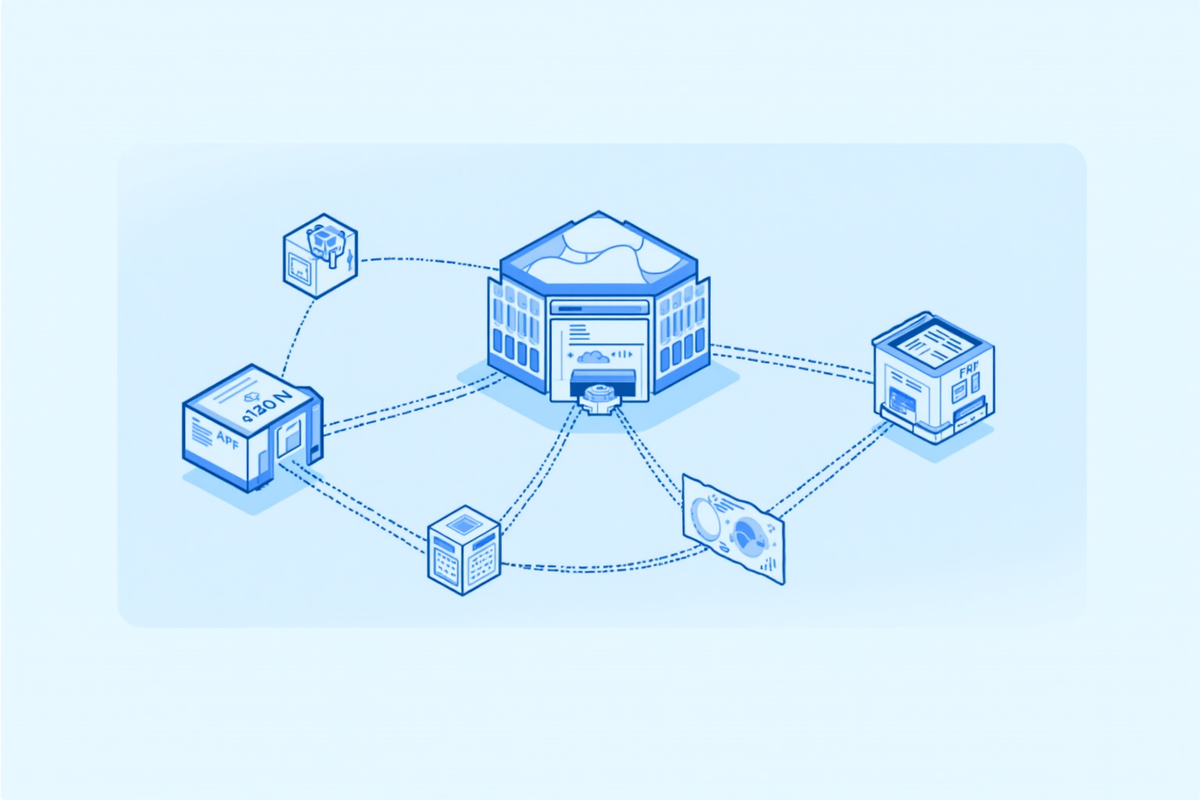
The Complete Guide to Maximo REST/JSON APIs: Architecture, Migration, and Best Practices
Introduction
The integration landscape for IBM Maximo has undergone a fundamental transformation over the past several release cycles. What began as a framework built around flat files, XML messaging, and SOAP-based web services has evolved into a modern, REST-first architecture designed for cloud-native deployments, mobile consumption, and real-time data exchange. For organizations running Maximo Application Suite (MAS) today, understanding this architecture is not optional -- it is the foundation upon which every integration, extension, and automation is built.
The centerpiece of this evolution is the Maximo REST/JSON API, introduced in version 7.6.0.2 and continuously enhanced through every subsequent release. Unlike the legacy REST API (the /maxrest/rest endpoint from the 7.1/7.5 era) and the OSLC-based APIs that preceded it, the new JSON API was built from the ground up to support modern development patterns. It shares the same code base as the OSLC REST APIs used by Maximo Anywhere, but it eliminates the need to configure OSLC resources separately, sharing the namespace JSON that OSLC APIs require. The result is a significantly simpler setup process that is ready to use as soon as a non-customized Maximo package is installed with users and groups configured.
This article provides a deep technical examination of the Maximo REST/JSON API architecture. We will cover the request lifecycle from authentication through response, compare the available integration options to help you choose the right approach, walk through concrete migration patterns for legacy integrations, and establish production best practices that will keep your integrations performant and maintainable. Whether you are building a new integration from scratch or modernizing an existing MIF-based solution, this guide will give you the architectural foundation you need.
Understanding the REST/JSON API Architecture
The Maximo REST/JSON API represents a complete rewrite of the REST capabilities introduced after version 7.1. Its architecture follows a clean, layered pattern that separates concerns across authentication, routing, authorization, and business object interaction. When a REST API call arrives, it flows through four distinct phases before returning a response.
The first phase is authentication. The API supports multiple authentication methods, including API keys, basic authentication, and token-based authentication via integration with your identity provider. API keys are the recommended approach for machine-to-machine integrations because they eliminate the need to store user credentials in external systems and can be rotated independently of user accounts. The API key is passed as a header or query parameter and is validated against the Maximo Manage security configuration before any request processing begins.
Once authenticated, the request enters the API routes layer. This is where the REST handlers live -- the components that map incoming HTTP methods and URL patterns to specific Maximo artifacts. The routes layer supports interaction with a wide range of Maximo objects, including MBOs (Maximo Business Objects), automation scripts, images, permissions, and schemas. This is also the extensibility point for developers who need to expand the API footprint to cover custom objects or specialized business logic.
The third phase is authorization. Even after successful authentication, every request must pass through Maximo's security framework. The API checks whether the authenticated user or API key has the necessary permissions to perform the requested operation on the target object. This includes object-level security, field-level security, and conditional security rules that may apply based on the data being accessed. This layered authorization model ensures that the REST API does not bypass any of the security controls that apply to the Maximo user interface.
Finally, the request reaches the Maximo artifacts layer, where it interacts with MBOs, workflows, automation scripts, and the Maximo cache framework. This is where the actual data operations occur. The API supports a rich set of query capabilities, including subselects, related object queries, multi-attribute text search, custom queries for Java and scripting, and group by queries. It also integrates with Maximo formulas and federated MBOs, making it possible to query across multiple data sources through a single API call.
The response is returned in JSON format, with metadata support that uses JSON schema. This end-to-end JSON support is one of the key advantages of the new API -- it eliminates the XML-to-JSON conversion overhead that plagued earlier integration approaches and makes the API natively consumable by modern web and mobile applications.
MIF vs. OSLC vs. JSON API: Choosing the Right Integration Path
One of the most common questions facing Maximo architects is which integration framework to use for a given scenario. The answer depends on several factors, including the age of your existing integrations, the complexity of your data transformation requirements, and whether you are building new capabilities or maintaining existing ones.
The Maximo Integration Framework (MIF) is the umbrella under which all integration possibilities fall. This includes flat file processing, database table integration, SOAP web services, legacy REST, and the new JSON API. The components that make up MIF -- external systems, enterprise services, publish channels, and invocation channels -- remain relevant regardless of which transport protocol you choose. If you have existing MIF-based integrations that use SOAP or flat files, they will continue to work in MAS with minor adjustments, such as switching from basic authentication to API key authentication. However, IBM has made it clear that the JSON API is the forward-looking path, and new feature development is concentrated there.
The OSLC (Open Services for Lifecycle Collaboration) integration standard was the foundation of Maximo's REST capabilities for many years. It is still supported in MAS, but its role has narrowed. OSLC is now primarily used for specific scenarios, such as interacting with object structures, while the JSON API has taken over as the general-purpose REST interface. The JSON API supports a much broader range of functionality that was never developed under the OSLC standard, including dynamic query views, custom JSON elements appended to object structure JSON, and integration with the Maximo cache framework and formulas.
The legacy REST API (the /maxrest/rest endpoint) should be considered deprecated. While it still exists in MAS for backward compatibility, it lacks the features, performance, and security capabilities of the JSON API. There are only a handful of capabilities in the legacy API that are not yet available in the JSON API -- such as interacting with MBOs without using object structures -- and these gaps exist for good architectural reasons. For any new integration, the JSON API should be your default choice. For existing legacy REST integrations, migration should be prioritized as part of your MAS upgrade roadmap.
The recommended approach for most scenarios is the JSON API. Maximo's mobile solution and the new desktop UI framework are both built on this API, which means it is the most tested, most performant, and most feature-rich integration path available. It includes functionality to help transform messages between Maximo and external systems, matching formatting requirements without requiring custom automation scripts. The JSON API is also the only integration path that IBM continues to enhance with each release, making it the safest long-term investment for your integration architecture.
Migration Patterns: Moving from Legacy Integrations to the JSON API
Migrating existing integrations to the JSON API requires a systematic approach that accounts for differences in authentication, data formatting, error handling, and performance characteristics. Based on real-world migration projects, the following patterns have proven effective across different integration scenarios.
For SOAP-based integrations, the migration path involves replacing SOAP envelopes with JSON payloads and switching from WSDL-defined operations to RESTful resource endpoints. The key challenge here is typically data transformation -- SOAP services often include complex nested structures that must be flattened or reorganized for JSON. The JSON API's support for custom JSON elements appended to object structure JSON can help bridge this gap, allowing you to maintain compatibility with existing data models while adopting the new transport.
For flat file integrations, the migration is more straightforward. Flat file processing in MIF typically involves CSV or fixed-width formats that are parsed and mapped to Maximo objects. The JSON API eliminates the file parsing step entirely by accepting structured JSON payloads directly. The migration pattern here is to replace the file drop process with an API call from the same scheduling system that previously managed file transfers. This reduces latency from batch processing to near-real-time and eliminates the need for file system management.
For legacy REST API (/maxrest/rest) integrations, the migration is the most technically straightforward but requires the most testing. The legacy API and the JSON API share conceptual similarities -- both use HTTP methods, URL paths, and JSON payloads -- but the details differ significantly. Endpoint paths have changed, authentication mechanisms are different, and the response structures are not identical. The recommended migration pattern is to create a parallel integration environment where both APIs run simultaneously, then gradually switch traffic from the legacy endpoints to the JSON API endpoints while monitoring for behavioral differences.
A concrete example of a migration pattern for work order creation illustrates the differences. Under the legacy REST API, creating a work order might involve a POST to /maxrest/rest/mbo/workorder with a JSON payload that mirrors the MBO structure. Under the JSON API, the same operation uses a POST to /api/oslc/wo/workorder with a JSON payload that follows the JSON API schema. The field names and nesting may differ, and the response includes additional metadata such as schema links and related object references that the legacy API did not provide.
The most important consideration during migration is testing for behavioral changes between versions. Even when the same logical operation is performed, the JSON API may enforce validation rules differently, return different error codes, or handle edge cases in ways that differ from the legacy API. A comprehensive test suite that covers normal operations, error conditions, and boundary cases is essential before cutting over any production integration.
Authentication and Security Best Practices
Security is a critical consideration for any integration architecture, and the Maximo REST/JSON API provides multiple authentication options to accommodate different security requirements and deployment scenarios.
API keys are the recommended authentication method for server-to-server integrations. An API key is a token that is generated within Maximo Manage and associated with a specific user account and set of permissions. The key is passed in the APIKey header of each request. API keys offer several advantages over other methods: they can be rotated without changing user passwords, they can be revoked independently of user accounts, and they do not require storing credentials in external systems. When generating API keys, follow the principle of least privilege -- create dedicated integration user accounts with only the permissions required for the specific integration, rather than using a shared administrative account.
For integrations that require user-level authentication -- such as a mobile application where each user needs their own session -- token-based authentication is the appropriate choice. This involves authenticating against Maximo's login endpoint to obtain a session token, then passing that token in subsequent requests. The token has a configurable timeout and is tied to the specific user's permissions and session context. This approach is more complex to implement than API keys but provides finer-grained audit trails and supports user-specific data access controls.
Basic authentication is supported but should be avoided for production integrations. Passing credentials in headers with base64 encoding provides no meaningful security -- the encoding is trivially reversible, and the credentials are exposed if the connection is not encrypted. If you must use basic authentication for legacy compatibility, ensure that all API traffic runs over TLS 1.2 or higher and consider implementing additional network-level controls such as IP allowlisting.
Beyond authentication, several additional security practices should be standard in any Maximo integration architecture. First, implement rate limiting at the API gateway or load balancer level to prevent any single integration from overwhelming the system. Second, use HTTPS exclusively -- never send Maximo data over unencrypted HTTP. Third, implement comprehensive audit logging that captures the source IP, authenticated user or API key, endpoint accessed, and timestamp for every API call. Fourth, regularly review and rotate API keys, especially when integration developers or administrators leave the organization.
Production Best Practices and Performance Optimization
Running Maximo REST/JSON API integrations in production requires attention to performance, reliability, and maintainability. The following best practices are drawn from real-world implementations across multiple industries.
Connection management is one of the most impactful performance factors. Each API call incurs the overhead of TLS handshake, authentication, and authorization. For integrations that make frequent calls, connection pooling can dramatically reduce latency. Configure your HTTP client to maintain a pool of persistent connections to the Maximo API endpoint, reusing connections across multiple requests rather than opening and closing connections for each call. The optimal pool size depends on your concurrency requirements, but a pool of 10 to 20 connections is a reasonable starting point for most integrations.
Batch operations should be used whenever possible. The JSON API supports creating, updating, and querying multiple records in a single API call. Instead of making 100 individual POST requests to create 100 work orders, structure your integration to send a single batch request containing all 100 records. This reduces network overhead, decreases the load on the Maximo server, and improves overall throughput. The batch size should be tuned based on your specific use case -- start with batches of 50 to 100 records and adjust based on response times and error rates.
Error handling and retry logic are essential for production reliability. Network failures, server timeouts, and transient errors are inevitable in any distributed system. Implement exponential backoff retry logic that waits progressively longer between retry attempts, with a maximum retry count of three to five attempts. Distinguish between retryable errors (timeouts, 503 Service Unavailable, 429 Too Many Requests) and non-retryable errors (400 Bad Request, 401 Unauthorized, 404 Not Found) -- retrying non-retryable errors will only waste resources and potentially lock accounts.
Caching frequently accessed reference data can significantly reduce API call volume. Data such as location hierarchies, asset classifications, and labor records change infrequently but are accessed repeatedly by integrations. Implement a local cache with a configurable time-to-live (TTL) that refreshes from the API on a schedule appropriate to the data's change frequency. For reference data that changes daily, a 24-hour TTL is appropriate. For more dynamic data, use shorter TTLs or implement cache invalidation based on change notifications.
Monitoring and alerting should cover both API health and integration business logic. Track key metrics including API response times, error rates by endpoint, authentication failure rates, and data volume. Set up alerts for anomalies such as sudden spikes in error rates, authentication failures that may indicate a compromised API key, or response times that exceed your service level objectives. Many organizations find that integrating Maximo API monitoring into their existing observability platform (such as Datadog, Splunk, or ELK) provides the most comprehensive view of integration health.
Practical Implications
The shift to the REST/JSON API architecture has practical implications for every organization running Maximo. For teams that have been maintaining legacy MIF integrations for years, the migration represents both a technical challenge and an opportunity to modernize. The immediate practical benefit is reduced integration maintenance overhead -- the JSON API's cleaner design and better documentation mean fewer hours spent troubleshooting integration issues. The longer-term benefit is access to new capabilities that are only available through the JSON API, such as dynamic query views and custom JSON elements.
For organizations planning their MAS upgrade, the integration architecture should be a first-class consideration in the project plan. Testing existing integrations against the JSON API should begin early in the upgrade cycle, not as an afterthought. Budget time for migration of legacy REST and SOAP integrations, and consider whether some integrations can be simplified or eliminated entirely as part of the migration.
The skills required to work with the JSON API are different from those required for traditional MIF work. Teams need developers who are comfortable with RESTful API design patterns, JSON data structures, and modern authentication protocols. Investing in training for your integration team will pay dividends in faster development cycles and fewer production issues.
The Bottom Line
The Maximo REST/JSON API represents the future of integration for the Maximo platform. It is the path that IBM is investing in, the foundation that new features are built on, and the standard that all new integrations should target. For organizations still running legacy integration frameworks, the migration effort is significant but the benefits -- reduced maintenance, better performance, access to new capabilities, and alignment with IBM's product direction -- justify the investment.
The key takeaways are straightforward. Use the JSON API for all new integrations. Plan migration of legacy REST and SOAP integrations as part of your MAS upgrade. Implement proper authentication, error handling, and monitoring from day one. And invest in your team's API skills -- the days of flat file integrations and SOAP envelopes are numbered, and the organizations that embrace the REST/JSON architecture will be best positioned to take advantage of everything Maximo Application Suite has to offer.

