The MAS Integration Framework: A Deep Dive into Modern Maximo Connectivity
A comprehensive technical exploration of the modern Maximo Application Suite integration landscape, covering the evolution from MIF to REST APIs, the hidden power of App Connect Enterprise, the new MCP Server for AI agent connectivity, and the SAP CPI connector modernization.

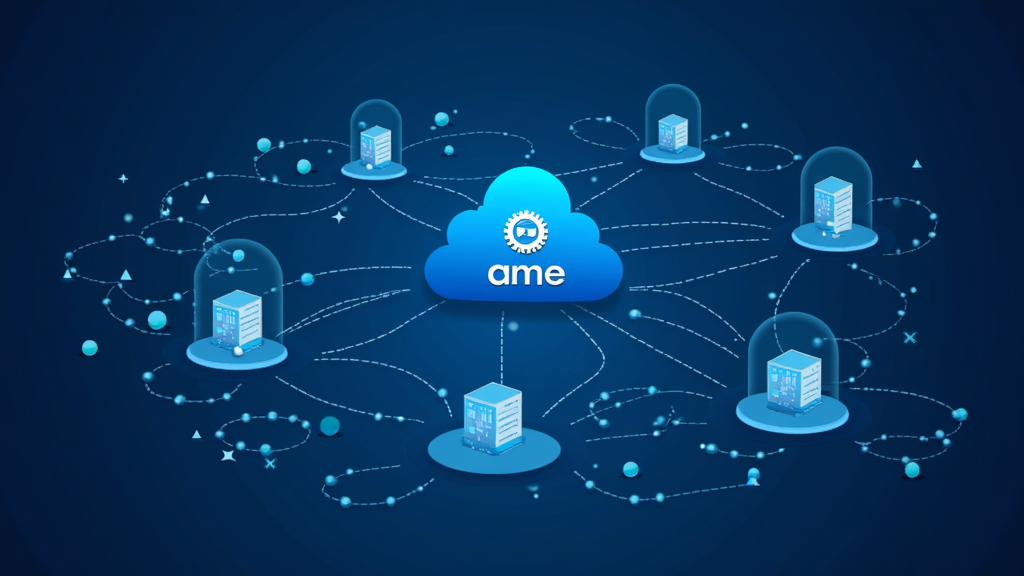
The MAS Integration Framework: A Deep Dive into Modern Maximo Connectivity
Integration has always been the backbone of any enterprise asset management deployment. Maximo does not exist in a vacuum -- it connects to ERP systems, supply chain platforms, financial systems, IoT pipelines, and increasingly, AI agents. But the integration landscape for Maximo Application Suite has changed dramatically over the past 18 months. The old world of MIF-only, PI/PO middleware, and custom Java adapters is giving way to a more flexible, cloud-native, and AI-ready architecture.
This article provides a deep technical look at the current state of MAS integration, covering the tools, protocols, and patterns that every Maximo architect needs to understand in 2026. We will walk through the evolution of the integration framework, the hidden middleware already included in your MAS license, the modernization of the SAP bridge, the rise of event-driven patterns with Kafka, and the groundbreaking MCP Server for AI agent connectivity.
The Evolution from MIF to REST-First Architecture
The Maximo Integration Framework (MIF) has served the community well for over a decade. It provided a reliable, object-structure-based mechanism for moving data in and out of Maximo using XML messages, flat files, and web services. The MIF architecture was built around three core concepts: object structures that defined the data shape, publish channels that controlled outbound data flow, and external systems that defined the target endpoints. For years, this was the only game in town, and it worked -- but it came with significant operational overhead.
MIF configurations were stored in the Maximo database, making them environment-specific and hard to version-control. The XML message format was verbose and required complex XSLT transformations for even simple data mapping. Performance was a constant concern, especially for high-volume integrations, because MIF processed messages synchronously through the Maximo application server. And perhaps most critically, MIF was a Maximo-specific technology -- external teams needed specialized knowledge to work with it.
MAS 9.x introduced the OSLC REST API as the primary integration surface, fundamentally changing this picture. Every object structure in Maximo is now accessible via REST endpoints, and the API supports JSON payloads, OAuth 2.0 authentication, and standard HTTP verbs. This was a deliberate architectural shift. Instead of configuring publish channels and external systems in the MIF UI, developers now interact with Maximo data through a standard REST interface that any modern programming language or integration platform can consume.
The OSLC API is not just a replacement for MIF -- it is a superset. It supports CRUD operations on all standard and custom object structures, query capabilities with rich filtering using OSLC query syntax, and full integration with Maximo's business logic and validation rules. Creating a work order via REST triggers the same workflows, escalation logic, and condition-based rules as creating one through the UI. The API also supports batch operations, optimistic locking via ETags, and partial updates using HTTP PATCH.
// Example: Creating a work order via OSLC REST API
POST /maximo/oslc/os/mxwo HTTP/1.1
Host: your-mas-instance.com
Authorization: Bearer <token>
Content-Type: application/json

{
  "spi:description": "Replace cooling pump motor - Building A",
  "spi:assetnum": "PUMP-4421",
  "spi:siteid": "BLDGA",
  "spi:wonum": "WO-2026-00421",
  "spi:worktype": "CM",
  "spi:status": "APPR",
  "spi:priority": "1",
  "spi:requestedby": "jdoe",
  "spi:requesteddate": "2026-07-14T08:00:00Z"
}
The response includes the full record with system-generated fields like wonum, statusdate, and changedate, confirming that all business logic has executed. The API also returns an ETag header for optimistic concurrency control, which the client must include in subsequent updates to prevent overwrite conflicts.
For organizations still running MIF-based integrations, IBM has provided a clear migration path. The MIF-to-REST migration pattern involves replacing publish-channel-based outbound integrations with REST API calls, and replacing invocation-channel-based inbound integrations with webhook receivers or API-triggered automation scripts. The Maximo Automation Scripting framework can act as the bridge, using Python or JavaScript to call REST endpoints from within Maximo's event-driven architecture.
# Python automation script: MIF-to-REST bridge
# This script runs on the Save event of the WORKORDER object
# and calls an external REST API instead of using a publish channel

from psdi.mbo import MboConstants
from java.lang import System
import json

# Get the current work order data
wonum = mbo.getString("WONUM")
description = mbo.getString("DESCRIPTION")
status = mbo.getString("STATUS")
assetnum = mbo.getString("ASSETNUM")

# Build the payload for the external system
payload = {
    "workOrderId": wonum,
    "description": description,
    "status": status,
    "assetId": assetnum,
    "eventType": "WORK_ORDER_UPDATE",
    "timestamp": System.currentTimeMillis()
}

# Call the external REST endpoint
url = "https://enterprise-bus.company.com/api/v1/events"
headers = {"Content-Type": "application/json", "X-Source": "Maximo"}
response = requests.post(url, data=json.dumps(payload), headers=headers)

# Log the result for monitoring
service.log("Integration event sent for WO %s: HTTP %d" % (wonum, response.status_code))
This pattern allows teams to migrate incrementally, one integration at a time, without a big-bang cutover. The automation script approach also gives teams full control over error handling, retry logic, and data transformation.
App Connect Enterprise: The Hidden Integration Engine in Your MAS License
One of the most underutilized assets in the MAS ecosystem is IBM App Connect Enterprise (ACE). If you run MAS, you already have a restricted-use license for ACE. This is not a well-known fact, and it represents a significant opportunity for organizations looking to simplify their integration architecture and reduce middleware costs.
ACE provides a full-featured integration runtime that can connect Maximo to virtually any system -- SAP, Oracle, Salesforce, Workday, custom databases, file systems, and cloud services. It supports over 80 pre-built connectors, a graphical flow editor in the ACE Toolkit, and deployment on Red Hat OpenShift alongside your MAS instance. ACE flows are built using a node-based visual programming model where each node represents a step in the integration: reading from a source, transforming data, calling an API, writing to a target.
The key advantage of ACE for Maximo teams is ownership. Traditionally, Maximo integrations required coordination with a separate middleware team, which introduced delays, dependencies, and finger-pointing when things broke. With ACE, the Maximo team can own the integration end-to-end, from the Maximo API to the target system, all within the same OpenShift cluster. This reduces lead times from months to weeks and eliminates the middleware handoff bottleneck.
# Deploying an ACE integration flow for Maximo-SAP synchronization
# Using the ACE Toolkit command-line interface

# Create a new integration project
mqsicreatebar -data /workspace/maximo-sap-integration \
  -b maximo-sap-integration.bar \
  -a MaximoSAPProject \
  -deployAsRequsted

# Deploy to the ACE integration server running on OpenShift
oc project ace-integration
oc apply -f integration-server.yaml

# Verify the integration server is running
oc get integrationservers
NAME                   STATUS   AGE
maximo-sap-ace         Running  12h
The ACE-to-MAS pattern works like this: ACE exposes a REST API or MQ queue that external systems call. ACE transforms the payload, applies business logic, and calls the Maximo OSLC REST API to create or update records. For outbound flows, ACE subscribes to Maximo events via the MIF publish channel mechanism or directly via database triggers for real-time needs, then routes the data to the target system.
ACE 13.0.7.0, released in March 2026, added MCP Server support, meaning ACE integration flows can now be exposed as tools for AI agents. This is a game-changer for organizations building agentic workflows that need to interact with both Maximo and external systems through a single, governed integration layer. The ACE MCP Server capability allows AI agents to call ACE flows as tools, enabling natural-language-driven integration orchestration.
There is an important licensing caveat to understand. The ACE license included with MAS is restricted to integrations where at least one endpoint is MAS. If you are connecting MAS to SAP, that is covered. If you are connecting two non-MAS systems through ACE, that would require a separate ACE license. Organizations should confirm their specific use cases with their IBM representative, but for the vast majority of Maximo integration scenarios, the included license is sufficient.
Event-Driven Integration with Apache Kafka
As MAS deployments scale, the limitations of synchronous request-response integration become apparent. High-volume data feeds, real-time asset telemetry, and cross-system event propagation all benefit from an event-driven architecture. Apache Kafka has emerged as the standard platform for this pattern in the MAS ecosystem.
Kafka provides a durable, scalable event log that decouples producers from consumers. In a MAS context, this means Maximo can publish events (work order created, asset updated, meter reading recorded) to Kafka topics without waiting for downstream systems to process them. Consumer applications can subscribe to these topics and process events at their own pace, with built-in replay capability for error recovery.
The Maximo Integration Framework supports Kafka as both a publish and invoke mechanism. For outbound events, MIF publish channels can write directly to Kafka topics. For inbound events, MIF invocation channels can consume from Kafka topics and create or update Maximo records. This enables patterns like:
- Asset telemetry ingestion: IoT sensors publish temperature, vibration, and pressure readings to Kafka. A Maximo invocation channel consumes these readings and creates meter readings in the asset hierarchy.
- Work order event streaming: Every work order state change is published to a Kafka topic. Downstream systems (ERP, analytics, dashboards) consume these events for real-time visibility.
- Cross-site event replication: Multi-site MAS deployments use Kafka to replicate master data and transactional events between sites, enabling a global view of asset health.
# Kafka consumer configuration for Maximo invocation channel
# Configured in the External Systems application

KAFKA_BOOTSTRAP_SERVERS: kafka-cluster-kafka-bootstrap:9092
KAFKA_GROUP_ID: maximo-asset-telemetry-consumer
KAFKA_TOPIC: asset.meter.readings
KAFKA_AUTO_OFFSET_RESET: earliest
KAFKA_ENABLE_AUTO_COMMIT: false
MAX_RECORDS_PER_POLL: 100
POLL_INTERVAL_MS: 5000

# Message format expected on the topic
# {
#   "assetnum": "PUMP-4421",
#   "siteid": "BLDGA",
#   "metername": "VIBRATION",
#   "reading": 4.2,
#   "readingdate": "2026-07-14T08:30:00Z",
#   "unit": "mm/s"
# }
For organizations already running Kafka as their enterprise event backbone, the MAS integration is straightforward. For those new to Kafka, IBM provides the Event Streams offering as part of Cloud Pak for Integration, which includes a managed Kafka deployment with enterprise features like schema registry, Kafka Connect, and topic governance.
The SAP CPI Connector: Modernizing the Maximo-SAP Bridge
For organizations running SAP as their ERP, the Maximo-SAP integration has historically been one of the most complex and fragile parts of the architecture. The traditional approach used SAP PI/PO as middleware, with custom BAPI calls and IDoc processing that required deep expertise in both platforms. A typical Maximo-SAP integration project could take six to nine months and required dedicated resources from both the Maximo and SAP teams.
In March 2026, IBM released a modernized Maximo Connector for SAP Applications that supports SAP Cloud Platform Integration (CPI) as the middleware layer. This is a significant architectural upgrade. SAP CPI is SAP's strategic cloud integration platform, and aligning the Maximo connector with CPI ensures long-term compatibility with SAP's roadmap. The connector is available in the MAS February Feature Channel for non-production use, supporting MAS 9.1 and all forward versions, with production readiness planned alongside MAS 9.2 GA.
The connector handles all the standard Maximo-SAP integration scenarios with pre-built mappings and flows:
- Material master synchronization: SAP materials flow to Maximo as items, with pricing, storage location, and valuation data. The connector handles material group mappings, unit of measure conversions, and plant-to-site mappings automatically.
- Work order accounting: Completed work order costs flow from Maximo to SAP for financial posting. Labor, material, and service costs are mapped to SAP cost centers, internal orders, or WBS elements based on configuration.
- Equipment master: SAP equipment records are synchronized to Maximo assets, with warranty and serial number data. The connector handles the functional location to Maximo location hierarchy mapping.
- Notification-to-order: SAP maintenance notifications trigger work orders in Maximo, with status updates flowing back to SAP. This is the most common integration scenario and the one that delivers the fastest ROI.
- Purchasing integration: Maximo purchase requisitions flow to SAP for PO creation, with PO confirmations returning to Maximo. The connector handles pricing, tax, and delivery date synchronization.
The migration from PI/PO to CPI is designed to be minimally disruptive. All existing interface logic, mappings, and business scenarios continue to function without modification. The connector artifacts have been updated to align with CPI's recommended integration patterns, but the functional behavior remains identical. This means organizations can migrate at their own pace, running PI/PO and CPI in parallel during the transition period.
<!-- Example: SAP CPI integration flow mapping for equipment sync -->
<!-- Source: SAP Equipment (EQUI) to Maximo Asset (ASSET) -->

<Mapping>
  <!-- Equipment Number -> Asset Number -->
  <Field source="EQUI-EQUNR" target="ASSET.ASSETNUM" transform="none"/>

  <!-- Description -> Description -->
  <Field source="EQUI-EQKTX" target="ASSET.DESCRIPTION" transform="none"/>

  <!-- Serial Number -> Serial Number -->
  <Field source="EQUI-SERNR" target="ASSET.SERIALNUM" transform="none"/>

  <!-- Manufacturer -> Manufacturer -->
  <Field source="EQUI-HERST" target="ASSET.MANUFACTURER" transform="lookup">
    <LookupTable name="SAP_MANUFACTURER_MAP"/>
  </Field>

  <!-- Model -> Model Number -->
  <Field source="EQUI-TYPBZ" target="ASSET.MODELNUM" transform="none"/>

  <!-- Functional Location -> Location -->
  <Field source="EQUI-TPLNR" target="ASSET.LOCATION" transform="functional-location-parser"/>
</Mapping>
The CPI-based approach also opens up new capabilities that were difficult or impossible with PI/PO. CPI provides built-in monitoring dashboards, alerting, and retry logic. It supports SAP's cloud integration best practices, including the use of integration advisors for flow optimization. And because CPI is a cloud service, organizations avoid the infrastructure and maintenance costs of running PI/PO on-premises.
The MCP Server: Connecting AI Agents to Maximo
The most transformative integration capability in MAS 9.2 is the MCP (Model Context Protocol) Server. MCP is an open standard developed by Anthropic that provides a standardized way for AI agents to discover and interact with tools and data sources. By implementing an MCP Server, Maximo can expose its APIs, object structures, and workflows to any MCP-compatible AI agent.
This is fundamentally different from traditional API integration. Instead of a developer writing code to call a REST endpoint, an AI agent can dynamically discover what Maximo can do, understand the schema of each object structure, and decide which tools to call based on natural language instructions from a user. The agent handles the orchestration -- determining which object structures to query, what filters to apply, and how to present the results.
The Maximo MCP Server, also available as an open-source npm package (maximo-mcp-server), provides the following capabilities to AI agents:
- API Discovery: Find available object structures (MXWO, MXASSET, MXSR, etc.) without reading documentation.
- Schema Inspection: Get exact field names, types, and descriptions for any object structure.
- Live Data Querying: Execute OSLC REST queries and see real results in real time.
- UI Generation: Create Carbon Design System tables and dashboards from query results.
- Validation: Test queries before generating final code.
// Example: MCP Server configuration for Maximo
// Add to your AI IDE's mcp_config.json

{
  "mcpServers": {
    "maximo-mcp-server": {
      "command": "npx",
      "args": ["-y", "maximo-mcp-server"],
      "env": {
        "MAXIMO_URL": "https://your-mas-instance.com/maximo/api",
        "MAXIMO_API_KEY": "your-api-key-here",
        "MAXIMO_HOST": "https://your-mas-instance.com"
      }
    }
  }
}
Once configured, an AI agent can answer questions like "Show me all work orders for pump assets that are overdue" by discovering the MXWO object structure, querying it with the right filters, and presenting the results -- all without a human writing a single line of integration code. The agent can also generate Maximo UI components, create automation scripts, and validate integration payloads.
For enterprise deployments, IBM has released a governed MCP Server framework that includes user and role management, controlled access to tools, and audit logging. This is essential for production AI deployments where governance and compliance are non-negotiable. The governed MCP Server runs on OpenShift and integrates with MAS security, ensuring that AI agents operate within the same access controls as human users.
Practical Implications
The integration landscape for MAS has shifted from a single-path (MIF) to a multi-path architecture where teams can choose the right tool for each use case. For real-time, low-latency integrations, the OSLC REST API is the clear choice. For complex transformations and multi-system orchestration, ACE provides a powerful, licensed-included option. For high-volume event streaming, Kafka delivers the scalability and durability that production systems require. For SAP shops, the CPI connector modernizes the most critical ERP integration. And for AI agent connectivity, the MCP Server opens entirely new possibilities for natural-language-driven operations.
The practical takeaway is that integration no longer needs to be a bottleneck for MAS projects. The tools are mature, the patterns are documented, and the licensing is often already in place. The challenge is knowing which tool to use for which scenario and having the architectural vision to design a cohesive integration strategy.
Organizations should conduct an integration audit to identify which of their current integrations can be simplified using ACE, which should be migrated from MIF to REST, which are candidates for event-driven patterns with Kafka, and which are ready for AI agent enablement via MCP. The ROI of reducing middleware complexity and accelerating integration delivery is substantial -- many organizations report 40-60% reductions in integration delivery time after adopting these modern patterns.
Bottom Line
Maximo Application Suite's integration capabilities have matured significantly, offering a modern, flexible, and AI-ready architecture. The combination of OSLC REST APIs, App Connect Enterprise, Apache Kafka, the SAP CPI connector, and the MCP Server gives organizations a complete toolkit for connecting Maximo to the enterprise. The hidden value of the ACE license included with MAS alone can transform how teams approach integration. As MAS 9.2 rolls out, the MCP Server capability will become increasingly important for organizations looking to leverage AI agents in their asset management workflows. The message is clear: the integration tools are already in your stack. It is time to use them.

