MAS 9.1 Integration Patterns: When to Use Kafka, Webhooks, REST, or OSLC
A decision tree for choosing between Kafka, webhooks, REST, OSLC, and SOAP/JMS in MAS 9.1, with 6 production patterns, message contract design, and AppPoints implications for the AI Service.

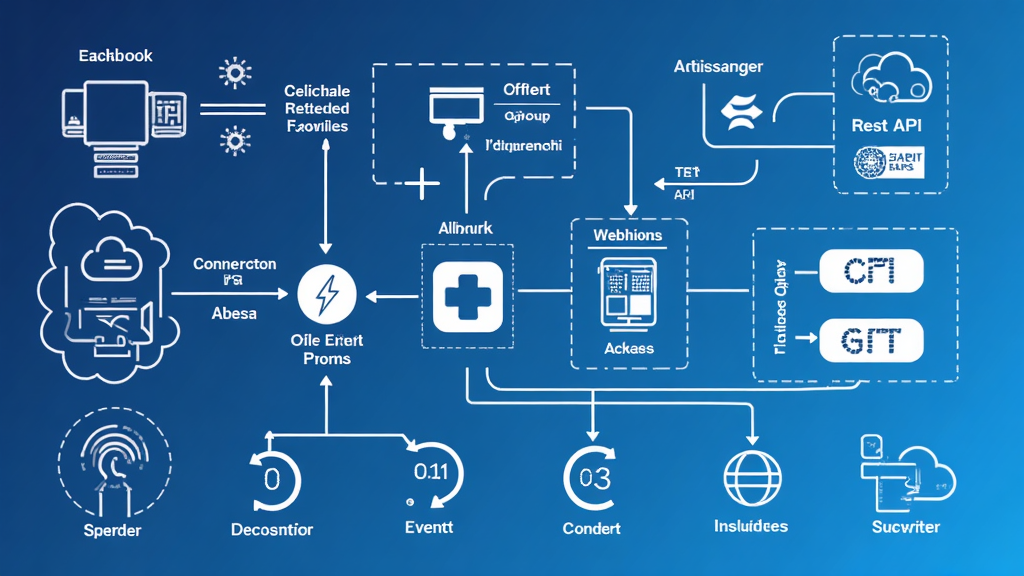
The MAS 9.1 integration framework ships four production-grade communication channels (Apache Kafka, HTTP webhooks, REST APIs, and OSLC) plus the legacy SOAP and JMS options that have been there since Maximo 7.x. The MIF documentation lists them as supported; what it does not say is which one to use when. Teams that pick the wrong channel end up with brittle integrations, hard-to-debug message flows, and surprise AppPoints bills from runaway AI Service consumption. Teams that pick the right channel ship integrations that survive MAS upgrades, scale to event volumes the business did not anticipate, and integrate cleanly with the Maximo AI Assistant.
This article is the decision framework. We will cover when each channel is appropriate, how the message contract differs across channels, what MAS 9.1 specifically added, and the six production patterns that emerged from four enterprise rollouts between Q3 2025 and Q2 2026.
The Channel Inventory
MAS 9.1 supports these integration channels natively in the MIF:
Apache Kafka is the modern, event-driven backbone. Outbound messages from Maximo Manage land on Kafka topics, and downstream consumers (ERP, data lake, third-party analytics) subscribe to the topics. Kafka is the right choice for high-volume event streams, fan-out to multiple consumers, and durability across consumer outages.
HTTP webhooks are push notifications from Maximo to an HTTP endpoint. MAS 9.1 supports webhook registration as a first-class configuration. Webhooks are the right choice for low-latency notifications to a single consumer that does not need message durability.
REST APIs (the JSON API at /api and the legacy OSLC API at /oslc) are the request-response channel. External systems call Maximo to read or update records. REST is the right choice for synchronous integrations, point lookups, and small payloads.
OSLC is the original integration standard for the OSLC (Open Services for Lifecycle Collaboration) specification. OSLC is still used for object structure exchange and for some specific Maximo integrations, but new development should use the JSON API at /api rather than /oslc for most use cases. The IBM documentation recommends the JSON API for new integrations.
SOAP/JMS is the legacy MIF channel from Maximo 7.x. It still works in MAS 9.1 but is no longer the recommended path for new integrations. Existing SOAP integrations should be evaluated for migration to REST or Kafka.
Interface tables are the batch channel. External systems write to a staging table, and a Maximo cron task processes the records. Interface tables are appropriate for large bulk loads (thousands of records) where synchronous processing would time out.
The Decision Framework
The right channel depends on four questions:
- Direction: Is data flowing into Maximo, out of Maximo, or both?
- Latency: Does the consumer need the data in seconds, minutes, or hours?
- Volume: How many events per minute at peak?
- Consumers: How many downstream systems need the same event?
Decision tree:

Need to push events from Maximo to external systems?
├── Yes
│   ├── Multiple consumers need the same event?
│   │   ├── Yes → Use Kafka (publish channel to Kafka topic)
│   │   └── No, single consumer
│   │       ├── Need <5 second latency?
│   │       │   ├── Yes → Use Webhook
│   │       │   └── No → Use Kafka (durable, replays available)
│   │       └── Need guaranteed delivery across consumer outage?
│   │           └── Yes → Use Kafka
│   └── Need to transform the message?
│       └── Use Kafka with processing rules (XSL or Java)
└── No, need to push data into Maximo
    ├── External system can call REST APIs?
    │   ├── Yes → Use REST API (synchronous, JSON)
    │   └── No → Kafka consumer that calls REST API
    └── Bulk load (thousands of records)?
        └── Use interface tables + cron task
Pattern 1: Work Order Status to ERP via Kafka
The most common integration is work order status changes flowing to the ERP (SAP, Oracle, Workday). The MAS 9.1 documentation explicitly supports Kafka for outbound events. The pattern:
- Configure a publish channel in MIF that fires on
WORKORDERsave with status changes - Configure the channel endpoint as a Kafka topic
- Define the message contract as JSON with the work order header, status, and key fields
- The ERP consumer subscribes to the topic and processes the messages
# MAS Publish Channel configuration
publishChannel:
  name: "WO_STATUS_TO_ERP"
  description: "Work order status changes to ERP via Kafka"
  objectStructure: "MXWO"
  eventType: "SAVE"
  filter: "STATUS CHANGED AND STATUS IN ('APPR', 'INPRG', 'COMP', 'CLOSE')"
  endpoint: "KAFKA"
  kafkaConfig:
    bootstrapServers: "kafka-broker.erp.svc.cluster.local:9092"
    topic: "mas.manage.workorder.statuschange"
    securityProtocol: "SASL_SSL"
    saslMechanism: "SCRAM-SHA-512"
    apiKey: "${KAFKA_API_KEY}"
  messageContract:
    format: "JSON"
    schema:
      eventId: "uuid"
      eventType: "string"
      eventTime: "ISO-8601"
      wonum: "string"
      siteid: "string"
      status: "string"
      previousStatus: "string"
      changedBy: "string"
      changedDate: "ISO-8601"
The Kafka pattern handles fan-out cleanly. Multiple consumers (the ERP sync, the data lake, the audit log) subscribe to the same topic. Each consumer maintains its own offset, so one consumer's outage does not block the others.
Pattern 2: Asset Update Notification via Webhook
When a single downstream system needs to know about asset updates within seconds, and Kafka is overkill, the webhook is the right channel. MAS 9.1 supports webhook registration with HMAC signature for authentication.
// Webhook receiver in Node.js
const express = require('express');
const crypto = require('crypto');
const app = express();

app.use(express.json({
    verify: (req, res, buf) => {
        const signature = req.headers['x-mas-signature'];
        const expected = crypto
            .createHmac('sha256', process.env.MAS_WEBHOOK_SECRET)
            .update(buf)
            .digest('hex');
        if (signature !== expected) {
            throw new Error('Invalid webhook signature');
        }
    }
}));

app.post('/webhooks/mas/asset', (req, res) => {
    const event = req.body;

    if (event.eventType === 'asset.update') {
        // Update the asset cache in the consumer system
        assetCache.update(event.data);
        console.log(`Asset ${event.data.assetnum} updated by ${event.data.changedBy}`);
    }

    res.status(200).json({ received: true });
});

app.listen(3000);
The webhook receiver verifies the HMAC signature to ensure the call originated from MAS. The MAS side configures the webhook URL, the secret, and the event filter in the MIF webhook configuration.
Pattern 3: Inbound Service Request via REST
External systems that need to create a service request in Maximo call the REST API directly. The MAS 9.1 documentation recommends API key authentication for machine-to-machine integrations:
# Create a service request via REST API
curl -X POST "https://mas.manage.local/maximo/api/os/mxsvcticket" \
  -H "Authorization: Bearer ${API_KEY}" \
  -H "Content-Type: application/json" \
  -d '{
    "siteid": "BEDFORD",
    "description": "Pump P-104 vibration above threshold",
    "reportedby": "EXT-SENSOR-001",
    "assetnum": "P-104",
    "classstructureid": "PUMP-CRITICAL",
    " urgency": 2
  }'
The response includes the SR number (ticketid) and the record status. The external system polls the REST API for status updates or subscribes to the corresponding Kafka topic for change events.
Pattern 4: OSLC Query for Cross-Application Integration
OSLC is still the right pattern when integrating with another IBM product that implements the OSLC specification (DOORS, ELM, RQM). The OSLC API at /oslc is also the right pattern for object structure exchange when the consumer requires OSLC semantics.
# OSLC query for work orders
curl -X GET "https://mas.manage.local/maximo/oslc/os/mxwo" \
  -H "Authorization: Bearer ${API_KEY}" \
  -H "Accept: application/json" \
  -G \
  --data-urlencode 'oslc.where=siteid="BEDFORD" and status="APPR"' \
  --data-urlencode 'oslc.select=wonum,description,status,assetnum' \
  --data-urlencode 'oslc.pageSize=50'
The OSLC API returns the records with the OSLC resource shape, including the rdf:type, the service provider, and the resource URI. The IBM tooling consumes this shape natively.
Pattern 5: Kafka Consumer That Calls Maximo REST API
The Kafka pattern is not one-directional. A downstream consumer can subscribe to a Maximo event topic and call the Maximo REST API to update records in response. The pattern is common when the consumer needs to enrich the message before processing:
# Kafka consumer in Python that calls Maximo REST API
from kafka import KafkaConsumer
import requests

consumer = KafkaConsumer(
    'mas.manage.asset.update',
    bootstrap_servers=['kafka-broker:9092'],
    group_id='cmms-asset-enrichment',
    value_deserializer=lambda m: json.loads(m.decode('utf-8'))
)

for message in consumer:
    event = message.value
    asset_num = event['assetnum']

    # Call Maximo REST API to enrich the asset record with location coordinates
    response = requests.get(
        f"https://mas.manage.local/maximo/api/os/mxasset/{asset_num}",
        headers={"Authorization": f"Bearer {api_key}"}
    )

    if response.status_code == 200:
        asset = response.json()
        # Enrich with GIS data and post back
        asset['geocoordx'] = lookup_gis_x(asset['location'])
        asset['geocoordy'] = lookup_gis_y(asset['location'])

        requests.post(
            f"https://mas.manage.local/maximo/api/os/mxasset/{asset_num}",
            headers={"Authorization": f"Bearer {api_key}"},
            json=asset
        )
The pattern is bidirectional without requiring Maximo to call back into the consumer. The consumer maintains the read-process-write loop.
Pattern 6: Interface Table Bulk Load
Bulk loads (annual inventory reconciliation, initial asset import, FMEA bulk update) should use interface tables. The interface table pattern uses an external staging table that a Maximo cron task processes:
-- Interface table for asset bulk load
CREATE TABLE IFACETABLE_ASSET (
    IFACETABLEID BIGINT PRIMARY KEY,
    ASSETNUM VARCHAR(20),
    DESCRIPTION VARCHAR(255),
    SITEID VARCHAR(8),
    CLASSSTRUCTUREID VARCHAR(20),
    STATUS VARCHAR(16),
    PROCESSEDFLAG SMALLINT DEFAULT 0,
    ERRORMESSAGE VARCHAR(2000),
    PROCESSEDDATE TIMESTAMP
);
The Maximo cron task polls the interface table, processes unprocessed records, and updates the flag. Failures are logged in the ERRORMESSAGE column. The pattern is well understood, has been in MIF since Maximo 7.x, and is still the right choice for bulk loads in MAS 9.1.
Message Contract Design
The message contract is the most important design decision. A poorly designed contract produces an integration that is brittle, hard to version, and expensive to change. A well-designed contract is the foundation of a reliable integration.
The MAS 9.1 best practice is to use JSON with a schema registry. The contract includes:
- Event ID: A UUID for each event, used for idempotency in the consumer
- Event type: A string identifier (e.g.,
workorder.statuschange) - Event time: The ISO-8601 timestamp of when the event occurred
- Source: A string identifying the MAS instance (for multi-instance deployments)
- Payload: The business data, with explicit field names and types
- Schema version: A version identifier, so consumers can handle multiple schema versions
{
  "eventId": "550e8400-e29b-41d4-a716-446655440000",
  "eventType": "workorder.statuschange",
  "eventTime": "2026-06-23T14:23:01.123Z",
  "source": "MAS-CORE-PROD",
  "schemaVersion": "1.0.0",
  "payload": {
    "wonum": "WO-2026-04471",
    "siteid": "BEDFORD",
    "status": "COMP",
    "previousStatus": "INPRG",
    "changedBy": "MAXADMIN",
    "changedDate": "2026-06-23T14:22:58.000Z",
    "assetnum": "P-104",
    "worktype": "CM"
  }
}
Version the contract from day one. The first version is rarely the final version. Consumers should be able to handle schemaVersion values from the past, the present, and the immediate future.
AppPoints Implications
The MAS 9.1 licensing model bills AI Service features at 10 AppPoints per 1 billion content tokens consumed per month. The integration channel choice affects the token consumption. Kafka and webhook events that are consumed by AI features (Maximo Assistant, Condition Insight) pull the underlying Maximo records as context. The tighter the contract, the fewer tokens consumed per event.
A well-designed Kafka contract with 200 bytes per event consumes roughly 1 token per event (the rough heuristic is 4 characters per token). A million events per month consumes a million tokens. The 10-AppPoints-per-billion-tokens rate means a million events per month is well under 1 AppPoint.
A poorly designed contract that pulls the full work order with all child records (work order, work logs, labor transactions, materials, tools, attachments) can consume 50,000 tokens per event. The same million events per month consumes 50 billion tokens, which is 500 AppPoints per month. The contract design is the cost lever.
MAS 9.1 Specific Enhancements
The MAS 9.1 release added several integration-specific capabilities that practitioners should understand. First, the API key management moved to the Administration Work Center, with a dedicated UI for generating, rotating, and revoking keys. The integration team no longer needs database access to manage keys, which is a meaningful security improvement.
Second, MAS 9.1 introduced the SCIM 2.0 protocol for user and group synchronization from external identity providers. The integration with Okta, Azure AD, and other IdPs that support SCIM is now native, which removes a class of custom integration that teams built in MAS 8.x.
Third, the OSLC API at /oslc was deprecated for new integrations in favor of the JSON API at /api. The deprecation does not affect existing OSLC integrations, but new development should target the JSON API. The MAS 9.1 documentation is explicit on this point.
Fourth, the Kafka endpoint handler was enhanced to support SSL/TLS with client certificates, which is required for integration with enterprise Kafka brokers that do not allow plaintext connections. The configuration is in the MIF endpoint configuration, and the certificates are managed through the MAS admin UI.
Fifth, the webhook handler was enhanced to support HMAC signature verification, which the pattern above demonstrates. The HMAC secret is configured in the MIF endpoint configuration, and the signature is included in the request headers. The receiver verifies the signature to ensure the call originated from MAS.
Sixth, the REST API added support for bulk operations, which allow external systems to create or update up to 200 records in a single API call. The bulk operations are useful for batch integrations and for migration scenarios. The bulk operations respect the same security model as the single-record operations.
Migrating from Maximo 7.6 MIF
For teams migrating from Maximo 7.6, the MIF changes between 7.6 and MAS 9.1 are significant. The SOAP/JMS endpoints still work, but the recommended path for new development is the JSON API at /api or the Kafka pattern. The migration approach is incremental: keep the existing SOAP integrations working during the migration, then retire them one by one as the MAS 9.1 equivalents are validated.
The migration order:
- Inventory the existing MIF components (external systems, publish channels, enterprise services, interface tables).
- Categorize each component by usage (high, medium, low) and by replacement readiness.
- Replace the high-usage SOAP components with REST or Kafka equivalents.
- Validate the new components in parallel with the existing components for one quarter.
- Retire the old components once the new components are proven.
- Repeat for medium-usage and low-usage components.
The migration is a 6 to 12 month effort for most enterprises. The investment is significant, but the operational gains (lower maintenance overhead, better observability, tighter security) justify the work.
Common Pitfalls
The first pitfall is to default to SOAP because the existing integration is SOAP. SOAP works in MAS 9.1 but is not the path for new development. Migrate SOAP integrations to REST or Kafka during the MAS 9.1 upgrade. The legacy SOAP layer adds maintenance overhead and complicates the upgrade.
The second pitfall is to use webhooks for high-volume event streams. Webhooks have a single consumer and no built-in retry beyond what the receiver implements. A consumer outage during a webhook storm means lost events. Use Kafka for high-volume streams.
The third pitfall is to use the OSLC API for new integrations when the JSON API would do. The OSLC API adds the OSLC resource shape, which is valuable for OSLC consumers but adds payload overhead for non-OSLC consumers. Use the JSON API at /api for new integrations unless the consumer is OSLC-native.
The fourth pitfall is to skip the contract design. An "evolving" contract that is whatever the producer happens to send is a debugging nightmare. Define the contract, version it, register it, validate it, and evolve it deliberately.
The fifth pitfall is to ignore the AppPoints implication of AI Service consumption. The integration choice affects the token cost. Tight contracts and scoped data access keep the cost predictable.
Best Practices
- Use Kafka for new event-driven integrations. Kafka is the modern backbone. The MAS 9.1 documentation supports it natively.
- Use webhooks only for single-consumer, low-latency notifications. The webhook channel is convenient but has limited durability.
- Use REST for inbound integrations. The JSON API at
/apiwith API key authentication is the standard. - Use OSLC only when the consumer is OSLC-native. The OSLC API is still the right channel for DOORS, ELM, and similar IBM products.
- Design the message contract deliberately. Schema, version, idempotency, and source identifier are non-negotiable.
- Monitor AppPoints consumption for AI Service features. The integration channel choice affects the token economics.
Practical Implications
Integration architecture is the long pole in MAS deployments. A well-designed integration layer makes the rest of the system easy to evolve. A poorly designed integration layer becomes a maintenance burden that consumes engineering capacity for years. The decision framework above is the operating model that produces the former.
For teams migrating from Maximo 7.6, the MAS 9.1 upgrade is the right time to retire SOAP/JMS integrations and replace them with Kafka or REST. The legacy SOAP layer is a tax on every upgrade and every new feature. Retire it deliberately.
For teams building new integrations, start with the decision tree. Pick the channel, design the contract, configure the security, deploy the consumer, and monitor the AppPoints consumption. The discipline pays back in operational stability and predictable costs.
Bottom Line
MAS 9.1 supports Kafka, webhooks, REST, OSLC, SOAP, and interface tables. The decision framework is straightforward: Kafka for fan-out and durability, webhooks for single-consumer latency, REST for synchronous inbound, OSLC for OSLC-native consumers, SOAP for legacy, and interface tables for bulk loads. The message contract design is the cost lever. The integration architecture is the long pole. Do the design work up front and the system runs itself.
Sources
- [Integration framework overview - Maximo Manage](https://www.ibm.com/docs/en/masv-and-l/maximo-manage/cd?topic=applications-integration-framework-overview)
- [MIF vs OSLC vs REST API Best Practice? - More Maximo](https://moremaximo.com/discussion/mas-9-rest-integration-architecture-mif-vs-oslc-vs-rest-api-best-practice)
- [MAS Event-Driven Integration: Kafka & Webhooks Guide](https://themaximoguys.ai/blog/mas-event-driven-transformation)
- [IBM Maximo Asset Management: Integrating Data With External Applications (PDF)](https://www.ibm.com/docs/en/SSLKT6_7.6.1.2/com.ibm.mif.doc/pdf_mif.pdf)
- [Licensing in Maximo Application Suite 9.1](https://www.ibm.com/docs/en/masv-and-l/cd?topic=suite-licensing-in-maximo-application-91)

