MAS 9 Integration Architecture: REST, JSON, and the End of Legacy SOAP
A technical look at how MAS 9 integration architecture moves toward REST and JSON, what it means for legacy SOAP/MIF interfaces, and how to design secure, scalable integrations.

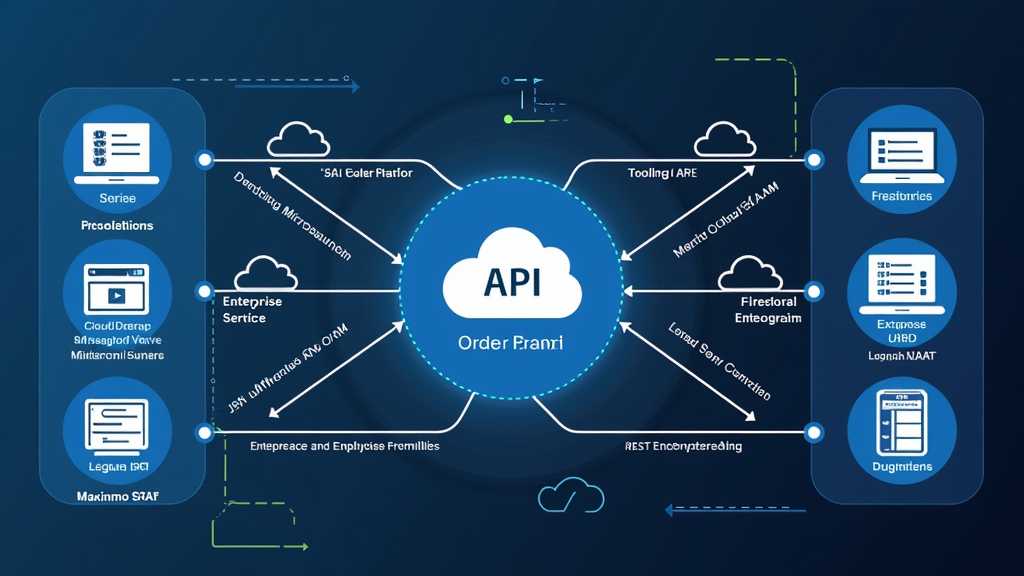
MAS 9 Integration Architecture: REST, JSON, and the End of Legacy SOAP
Integration is where enterprise asset management systems prove their value in a modern technology stack. A maintenance platform that cannot talk to finance, supply chain, IoT platforms, mobile applications, and reporting tools becomes an isolated data island. IBM Maximo has supported integration since its earliest versions through a variety of mechanisms: direct database access, enterprise JavaBeans, SOAP web services, the Maximo Integration Framework, commonly called MIF, and more recently, REST APIs built on the OSLC standard.
The release of Maximo Application Suite 9.x marks a decisive architectural shift. The preferred integration path is now RESTful, JSON-based, and API-key-secured. This is not a cosmetic change. It reflects a broader move away from monolithic, tightly coupled integration toward cloud-native, loosely coupled, event-driven patterns. For organizations with years of investment in SOAP-based MIF interfaces, the transition is both an opportunity and a migration task.
Understanding the MAS 9 integration architecture is essential for architects and developers who must connect Maximo to upstream and downstream systems. It affects how data enters Maximo from sensors and ERP systems, how mobile technicians interact with the platform, how reporting and analytics consume asset data, and how organizations manage authentication and security across those connections.
This article maps the MAS 9 integration landscape. It explains why REST and JSON have become the default, how the integration framework has evolved, what event-driven and asynchronous patterns look like, and how to migrate legacy SOAP services without breaking existing business processes. The goal is practical guidance for teams planning or maintaining integrations in a MAS 9 environment.
The Integration Landscape in Modern Maximo
Modern Maximo deployments do not exist in isolation. They sit at the center of a web of systems that include enterprise resource planning, supervisory control and data acquisition, IoT platforms, geographic information systems, mobile applications, business intelligence tools, and custom in-house systems. Each of these systems has its own data model, update frequency, and reliability requirements. Integration architecture is the discipline of connecting them in ways that are reliable, secure, and maintainable over a period of years.
The integration patterns in use today generally fall into four categories. Synchronous request-response APIs are used when one system needs an immediate answer from Maximo, such as validating an asset number or creating a work order on demand. Batch file or ETL integrations move large volumes of data on scheduled intervals, such as nightly master data synchronization from ERP. Message-based or event-driven integrations propagate changes as they happen, enabling near real-time responses across distributed systems. Direct data access, through reporting databases or read-only replicas, supports analytics without placing load on the transactional system.
MAS 9 is designed to support all of these patterns, but with a strong preference for API-first and event-driven designs. The platform exposes standard business objects through REST endpoints. It supports inbound and outbound event processing through integration queues. It can publish change events to external systems through webhooks or messaging middleware. The shift from SOAP to REST is part of this larger pattern. REST is simpler to consume, easier to version, and aligns with modern development practices.
One of the practical changes in MAS 9 is the way integration capabilities are packaged. In the Maximo Application Suite, integration features are delivered as microservices rather than as a single integration engine running inside the Maximo application server. This means integrations can scale independently. A high-volume API endpoint can be scaled without scaling the entire Manage workload. It also means integrations can be deployed, updated, and monitored using the same container tooling as the rest of the suite.
The architectural implication is that integration teams need new skills. Traditional Maximo integration specialists were experts in object structures, enterprise services, publish channels, and transformation logic. MAS 9 integration specialists also need to understand REST semantics, JSON schemas, OpenAPI specifications, API gateways, OAuth2 and API key security, and container operations. This skills transition is one of the hidden costs of modernization, but it is also what enables more flexible and scalable integrations in the long run.
Why JSON API Is IBM's Preferred Path
JSON has become the default data format for Maximo integrations for the same reason it has become dominant across the web: it is lightweight, human-readable, and natively supported by nearly every modern programming language and integration platform. In MAS 9, IBM has made JSON the preferred format for the Maximo REST API, and the documentation reflects this direction clearly.
The Maximo REST API is built on OSLC, the Open Services for Lifecycle Collaboration standard. OSLC provides a consistent way to expose resources such as assets, work orders, locations, and inventory items through standard HTTP methods. A GET request retrieves a resource. A POST creates one. A PUT or PATCH updates one. A DELETE removes one. The responses are JSON documents that represent the resource and its relationships. This uniformity makes the API predictable once a developer understands the pattern.
A typical REST call to retrieve a work order looks like this:
bash curl -X GET \ "https://mas-host/maximo/oslc/api/os/mxwo?oslc.select=wonum,status,description,assetnum,location" \ -H "apikey: $MAXIMO_API_KEY" \ -H "Accept: application/json"
This request asks for a set of work order records and specifies which fields to return. The API key header is used for authentication, replacing older mechanisms that relied on HTTP basic authentication or enterprise service user credentials. The response is a JSON object containing the requested records and metadata for pagination.
json { "member": [ { "wonum": "WO123456", "status": "INPRG", "description": "Replace motor bearing on pump P-101", "assetnum": "P-101", "location": "BLDG-A-01" } ], "responseInfo": { "totalCount": 1, "pagenum": 1 } }
The advantages over SOAP are substantial. JSON payloads are smaller and faster to parse. No WSDL contract generation is required. Client developers can test endpoints with simple tools like curl or Postman. Versioning can be handled through URL paths or headers. Error responses use standard HTTP status codes, making debugging easier for distributed teams.
For organizations currently using SOAP-based enterprise services, the move to REST is not just about format. It is also about design philosophy. SOAP services tend to be operation-centric: a service exposes a specific operation such as CreateWorkOrder or UpdateAsset. REST resources are entity-centric: the same work order resource can be created, read, updated, or deleted through standard methods. This shift changes how developers think about integration and how integrations are documented. Entity-centric APIs map more naturally to business data and make it easier for new developers to understand the system.
Object Structures and the Maximo Integration Framework
The Maximo Integration Framework remains the internal engine that maps Maximo business objects to external messages. Even as the preferred external protocol shifts to REST and JSON, the framework continues to use object structures as the bridge between the database and the integration layer. Understanding object structures is still essential for integration developers, because they define what data can pass through the API and how it is validated.
An object structure defines a set of related Maximo objects that are exposed or consumed together. For example, a work order object structure might include the main work order, its tasks, its labor records, and its material reservations. Object structures control which fields are available, how child records are nested, and how data is validated before being committed to the database. They are the contract that external systems interact with, whether through REST, JSON, XML, or flat files.
In REST integrations, object structures are exposed as resources. A developer can query the work order object structure, create records through it, and update existing records. The structure determines what data can be sent and received. If an integration needs a field that is not in the object structure, the structure must be extended or a custom one must be created. This is where knowledge of the Maximo data model becomes important.
xml <ObjectStructure objectName="MXWODETAIL"> <Part sourceObject="WORKORDER" key="wonum,siteid"> <Part sourceObject="WPLABOR" key="wonum,laborcode,siteid" /> <Part sourceObject="WPMATERIAL" key="wonum,itemnum,siteid" /> </Part> </ObjectStructure>
This simplified object structure shows a work order with nested labor and material child records. When a JSON payload is posted to the REST resource backed by this structure, the framework knows how to insert or update the parent record and its children, handle keys, and enforce validation rules. Master data such as assets, locations, and items typically have flatter structures, while transactional objects like work orders and purchase orders often require more complex hierarchies.
One common pitfall is treating object structures as simple database views. They are not. They include business logic, validation, and relationship rules defined in Maximo. Sending data that bypasses this layer can create inconsistent records. Conversely, using object structures correctly ensures that integrations respect the same rules as the user interface and the mobile application. This is why object structures remain central even as the external protocol changes from XML to JSON.
A well-designed integration usually defines a small number of purpose-built object structures rather than overloading existing ones. A structure that exposes every field is harder to secure and slower to serialize. A structure scoped to the specific fields an external system needs is faster to test, easier to document, and less risky to expose.
Event Streaming and Asynchronous Patterns
Not every integration should be synchronous. In fact, many of the most valuable Maximo integrations are asynchronous. A sensor sends a vibration reading every minute. An ERP system publishes a material receipt. A weather service issues a storm alert. These events should not block a user interface or wait for an immediate response. They should be ingested, processed, and acted upon in the background, often at high volume.
MAS 9 supports asynchronous integration through several mechanisms. The integration framework includes inbound and outbound queues. External systems can post messages to an inbound queue for Maximo to process. Maximo can publish messages to an outbound queue when records change. For larger deployments, organizations connect these queues to enterprise messaging platforms such as IBM MQ, Apache Kafka, or cloud-native event services.
The event-driven pattern is particularly important for IoT and condition monitoring. Maximo Monitor ingests time-series data from sensors and edge devices. When a threshold is crossed, Monitor can trigger an event that creates or updates a work order in Maximo Manage, updates a condition score in Maximo Health, or invokes a predictive model in Maximo Predict. These actions may happen seconds or minutes after the sensor reading, depending on the integration design and the volume of data.
Sensor -> MQTT/HTTP Gateway -> Kafka Topic -> Maximo Monitor | v Maximo Health / Predict / Manage Work Order
A typical pipeline looks like the diagram above. Data flows from sensors through a gateway into a streaming platform. From there, different consumers process the data. Monitor stores the time series. Health updates asset condition. Predict runs failure models. Manage creates work orders when human action is required. This decoupled design allows each component to evolve independently and scale according to its own load.
Asynchronous integration also improves resilience. If Maximo is briefly unavailable, messages can queue rather than fail. If an ERP system is down for maintenance, Maximo can continue operating and resynchronize when the ERP returns. This is harder to achieve with synchronous point-to-point integrations, which fail completely when one endpoint is unreachable. For mission-critical maintenance operations, that resilience is worth the added complexity.
Choosing between synchronous and asynchronous patterns is a design decision, not a default. Synchronous calls work well when an external application needs immediate confirmation, such as a mobile app creating a work order and waiting for the work order number. Asynchronous patterns work better when volume is high, latency is acceptable, or reliability matters more than speed. Most mature Maximo environments use a mix of both.
Security, API Keys, and Legacy Migration
Security is a non-negotiable part of integration architecture. MAS 9 introduces API keys as the recommended authentication mechanism for programmatic access. API keys are easier to rotate, easier to scope, and easier to audit than user credentials. They can be created for specific integrations, revoked when no longer needed, and monitored for anomalous usage. This is a significant improvement over embedding user IDs and passwords in integration scripts.
The recommended security posture includes several layers. Transport security through TLS ensures data is encrypted in transit. API keys or OAuth2 tokens authenticate the caller. Role-based access control inside Maximo enforces what the caller can see and do. API gateways can add rate limiting, IP allowlisting, and request logging. Network policies within the OpenShift or Kubernetes environment restrict which pods can communicate with the integration endpoints. Together these layers reduce the attack surface.
For legacy SOAP services, migration is a phased process rather than a big-bang event. The first step is to inventory all existing integrations. This includes enterprise services, invocation channels, external systems, and the business processes that depend on them. The second step is to classify them by complexity and criticality. Simple read-only integrations can be moved to REST quickly. Complex transactional integrations may require more planning, testing, and parallel operation.
A common migration pattern is to run REST and SOAP in parallel during a transition period. New integrations use REST. Existing integrations continue on SOAP while they are rewritten. This avoids a risky cutover and gives integration teams time to validate the new endpoints. Over time, SOAP usage declines until it can be safely retired. The key is to manage the timeline actively so that legacy interfaces do not linger indefinitely and become unsupported.
Migration planning should also address data transformation. SOAP services often return XML with deeply nested structures that were shaped by older enterprise patterns. REST resources return flatter JSON that is easier to parse but may require changes in the consuming application. Teams should map these transformations early and validate them against real data before production cutover.
Practical Implications
For integration architects, the practical implication is to treat MAS 9 as an API-first platform. New integrations should default to REST and JSON unless there is a specific reason to use another approach. Object structures should be designed with care, exposing only the fields and relationships that external systems genuinely need. Overly broad structures create security and performance risks. Tightly scoped structures are easier to maintain, test, and document.
For operations teams, the implication is to invest in monitoring. API keys, endpoint usage, queue depths, and error rates should be visible in the same dashboards used for the rest of MAS. Integration failures are often the first symptom of broader platform problems. Catching them early prevents data drift, stale master data, and business process disruption that can ripple across connected systems.
For organizations with legacy SOAP investments, the implication is to start the migration inventory now, even if the actual conversion happens in stages. Understanding the surface area of existing integrations is the prerequisite for any modernization plan. Teams should prioritize integrations that are business-critical, have high change frequency, or consume the most support effort. Early planning reduces the risk of being forced into a rushed migration later.
Bottom Line
MAS 9 integration architecture is built for a cloud-native, loosely coupled world. REST and JSON are the preferred protocols. API keys are the preferred authentication mechanism. Object structures remain the internal contract between the database and the integration layer. Event-driven patterns are the preferred way to handle high-volume and real-time data. Legacy SOAP still works, but it is a transitional technology, not a strategic direction.
Organizations that align their integration strategy with this architecture gain faster development cycles, better scalability, and simpler security management. The migration requires effort, especially for long-standing SOAP interfaces, but the alternative is accumulating technical debt in a platform that is deliberately moving forward. Integration teams should plan the transition, execute it in phases, and treat integration as a first-class architecture concern rather than an afterthought.

