MAS API-First Integration Blueprint: From MIF to OSLC, REST, GraphQL, and Kafka
A practical guide to IBM Maximo Application Suite's API-first integration architecture, comparing MIF legacy patterns with modern OSLC, REST, GraphQL, and Kafka event-driven approaches for scalable enterprise connectivity.

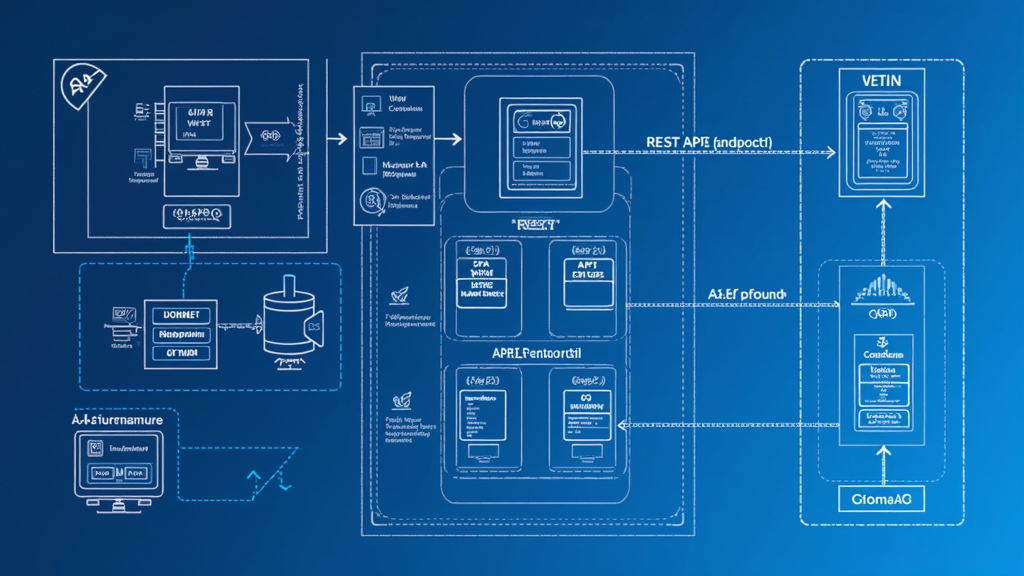
The Evolution from Point-to-Point to API-First
For over a decade, IBM Maximo integrations were built the same way: point-to-point connections using the Maximo Integration Framework (MIF), object structures configured one at a time, XML payloads transformed through Automation Scripts, and authentication handled through BASIC headers or shared sessions. Every integration was a custom project. Every connection required its own error handling, its own retry logic, its own monitoring. The result was a brittle web of point-to-point integrations that worked individually but were nearly impossible to manage as a portfolio.
The shift to IBM Maximo Application Suite (MAS) represents more than a platform migration. It is a fundamental rethinking of how Maximo connects to the enterprise. MAS is built on an API-first architecture where every capability is exposed through standardized, documented, and secured APIs. The integration framework is no longer an add-on module — it is the connective tissue of the entire suite.
This article maps the full integration landscape for MAS as of 2026, covering the evolution from MIF to modern API surfaces, comparing REST, OSLC, GraphQL, and Kafka as integration patterns, and providing practical guidance on when to use each. Whether you are migrating integrations from Maximo 7.6.x or building new integrations on MAS 9.x, this blueprint will help you make architecture decisions that scale.
From MIF to API-First: The Integration Journey
The Maximo Integration Framework has been the backbone of Maximo integrations since the early versions. MIF provided Enterprise Services for inbound data, Publish Channels for outbound events, Invocation Channels for custom outbound logic, and Object Structures as the data interchange format. It was powerful and flexible, but it was also complex and XML-centric.
MAS redefines the integration landscape while preserving compatibility with existing MIF configurations. The key changes:
The Death of XML and the Rise of JSON
MAS 9.x defaults to JSON for all API interactions. The NextGen REST/JSON API, introduced in Maximo 7.6.0.2 and now the primary integration surface in MAS, supports JSON end-to-end — from request payloads to response bodies to error messages. XML is still supported for backward compatibility, but all new integration development should use JSON.
The advantages of JSON over XML in Maximo integrations are significant:
- Smaller payload size: JSON payloads are typically 30-40 percent smaller than equivalent XML, reducing network bandwidth and parsing overhead
- Easier transformation: JSON-to-JSON transformations are simpler than XML-to-JSON, reducing the need for custom transformation code
- Native browser support: JavaScript ecosystems consume JSON natively, eliminating the need for client-side XML parsing libraries
- Better API documentation: JSON Schema provides a standard way to describe API contracts, enabling automated client generation and interactive documentation
- Modern tooling: Postman, Swagger, OpenAPI, and every modern API testing tool works natively with JSON
The End of SOAP
SOAP-based web services in Maximo were officially deprecated with the introduction of the NextGen API. While the SOAP endpoint still exists for backward compatibility, no new integration should use SOAP. The REST/JSON API provides all the capabilities of SOAP with simpler tooling, better performance, and broader ecosystem support.
Organizations still running SOAP-based integrations should prioritize migration. The SOAP API receives no new features, has limited community support, and creates a maintenance burden as SOAP tooling becomes increasingly niche. The migration path is straightforward: replace SOAP calls with equivalent REST calls using the same Object Structures.
OSLC: The Bridge Technology
OSLC (Open Services for Lifecycle Collaboration) was IBM's first attempt at standardizing Maximo's REST API surface. Introduced in Maximo 7.5, OSLC provided a RESTful interface with standardized query parameters (oslc.where, oslc.select, oslc.pageSize) and JSON/XML response formats.
In MAS, OSLC remains supported but is positioned as a legacy integration surface. The NextGen REST API (/maximo/api/) provides the same capabilities with a cleaner implementation that does not require OSLC resource configuration. The key difference:
- OSLC (/maximo/oslc/): Requires OSLC resources to be configured. Uses session-based authentication (LTPA token, x-access-token). Better for browser-based integrations where session management is natural.
- NextGen API (/maximo/api/): No OSLC resource configuration required. Uses API Key authentication. Better for machine-to-machine integrations where stateless authentication is preferred.
The recommendation is clear: for new integrations, use the NextGen API with API Keys. For existing OSLC integrations that are working well, there is no urgent need to migrate — but any significant rework of an existing OSLC integration should target the NextGen API.
REST vs OSLC vs GraphQL vs Kafka: Choosing the Right Surface
The integration landscape in 2026 offers four primary integration surfaces for MAS. Each has distinct characteristics that make it suitable for specific patterns.
REST/JSON API: The Default Choice
The NextGen REST/JSON API is the default integration surface for MAS. It provides CRUD operations on Maximo Object Structures, advanced filtering, selective attribute retrieval, related object navigation, bulk operations, attachment handling, and workflow interaction — all through standard HTTP methods with JSON payloads.
Use REST when:
- You need CRUD operations on Maximo data (create, read, update, delete)
- You are building machine-to-machine integrations with API Key authentication
- You need fine-grained control over which attributes are returned
- You are integrating with systems that have REST API connectors (most modern systems do)
- You need bulk operations in a single transaction
Limitations:
- No native subscription/push mechanism for real-time events (use Publish Channels for outbound events)
- Pagination is server-controlled; clients cannot request arbitrary page sizes beyond configured limits
- No native GraphQL-style nested querying (multiple round-trips may be needed for complex data graphs)
OSLC: The Legacy REST Surface
OSLC remains relevant for browser-based integrations and existing consumers that rely on session-based authentication. It uses the same underlying Object Structures as the NextGen API but with a different URL prefix and authentication model.
Use OSLC when:
- You have existing OSLC consumers that are working well and do not need migration
- You need browser-based session authentication (LTPA, x-access-token)
- You are integrating with IBM products that have native OSLC support (Engineering Lifecycle Management, etc.)
Limitations:
- Requires OSLC resource configuration (additional setup beyond vanilla Maximo)
- Session-based authentication is less suitable for machine-to-machine integrations
- No new features being added — maintenance mode only
GraphQL: The Emerging Pattern
GraphQL is not natively supported in MAS as of mid-2026, but it is an increasingly common pattern in enterprise integration architectures that include Maximo. The typical approach is to deploy a GraphQL API gateway in front of Maximo's REST APIs, providing a unified query interface that can aggregate data from multiple Maximo Object Structures and external systems.
A GraphQL layer in front of Maximo provides several benefits:
- Federated queries: A single GraphQL query can retrieve work order details, asset information, and related inspection results in one round-trip
- Client-driven field selection: The client specifies exactly which fields it needs, eliminating over-fetching and under-fetching
- Schema federation: Combine Maximo data with data from other systems (ERP, GIS, IoT) in a single schema
- Type safety: GraphQL's type system catches integration errors at build time rather than runtime
Example GraphQL query for Maximo work orders:
query {
  workOrders(status: "APPR", limit: 10) {
    wonum
    description
    status
    asset {
      assetnum
      description
      location
      healthScore
    }
    labor {
      laborcode
      hours
    }
  }
}
This query would require three separate REST API calls without a GraphQL layer. The GraphQL gateway resolves the relationships and returns a single JSON response.
Use GraphQL when:
- You need to aggregate data from multiple Maximo Object Structures in a single query
- You have multiple client applications with different data requirements
- You want to provide a unified API across Maximo and other enterprise systems
- You are building a composable front-end or micro-frontend architecture
Implementation approach: Deploy a GraphQL gateway (Apollo Server, Hasura, or custom Node.js) as a separate service on OpenShift. The gateway calls Maximo's REST API internally and exposes a GraphQL schema to clients. Authentication is handled at the gateway level using API Keys or OAuth, and the gateway forwards requests to Maximo using service account API Keys.
Kafka: Event-Driven Integration
Kafka is the standard for event-driven integration in enterprise architectures. While MAS does not include a native Kafka connector, the JMS-to-Kafka bridge pattern provides a reliable integration path.
The typical Kafka integration with Maximo follows a bidirectional pattern:
Outbound (Maximo to Kafka):
Maximo Publish Channel
  → JMS Queue (ActiveMQ)
  → Kafka Connect (JMS Source Connector)
  → Kafka Topic
  → Downstream Consumers
Inbound (Kafka to Maximo):
Kafka Topic
  → Kafka Connect (HTTP Sink Connector)
  → Maximo OSLC REST API
  → Enterprise Service processing
This pattern leverages Maximo's native JMS support through MIF Publish Channels and uses Kafka Connect's standard JMS Source and HTTP Sink connectors. No custom Maximo code is required — the integration is entirely configuration-driven on the Kafka side.
Use Kafka when:
- You need event-driven architecture with multiple consumers of Maximo events
- You are building a CQRS (Command Query Responsibility Segregation) pattern where Maximo is the write system and other systems maintain read models
- You need to replay events (Kafka's log retention enables historical replay)
- You are implementing an event sourcing pattern across enterprise systems
- You need decoupled, asynchronous communication between Maximo and external systems
Considerations:
- Kafka adds operational complexity (cluster management, schema registry, connector deployment)
- Event ordering is guaranteed within a partition but not across partitions — design your partition strategy carefully
- The JMS-to-Kafka bridge introduces latency (typically 100-500ms) compared to direct REST calls
- Schema management is critical — use Avro with a Schema Registry to ensure compatibility across consumers
Decision Matrix: When to Use What
| Pattern | Best For | Auth | Latency | Complexity |
|---|---|---|---|---|
| REST/JSON API | CRUD operations, queries, bulk imports | API Key | Low (synchronous) | Low |
| OSLC REST | Legacy consumers, browser sessions | Session token | Low (synchronous) | Low-Medium |
| GraphQL Gateway | Federated queries, multi-system aggregation | OAuth, API Key | Low-Medium (synchronous) | Medium-High |
| Kafka Events | Event streaming, multiple consumers, async | SASL/TLS | Medium (async, 100-500ms) | High |
| MIF Publish Channels | Outbound event propagation | N/A (internal) | Medium (async) | Medium |
| MIF Enterprise Services | Inbound bulk data loading | API Key, Basic | Low (synchronous) | Medium |
The decision flow for any new integration:
- Is it a simple CRUD operation on Maximo data? Use the REST/JSON API with API Key authentication. This covers 80 percent of integration scenarios.
- Is it an outbound event from Maximo? Use MIF Publish Channels with JMS or HTTP endpoints. If you need multiple consumers, bridge to Kafka.
- Is it a bulk data import from an external system? Use MIF Enterprise Services with the REST/JSON API.
- Do you need to aggregate data from Maximo and other systems? Deploy a GraphQL gateway in front of the REST API.
- Do you need event streaming with multiple consumers? Use the JMS-to-Kafka bridge pattern.
- Is the caller an AI agent? Use the MCP Server for tool discovery and structured interaction.
Security Architecture: API Keys, OAuth, and OIDC
Security is the most critical design decision in any integration architecture. MAS 9.x provides multiple authentication mechanisms, and choosing the right one for each integration pattern is essential.
API Keys for Machine-to-Machine
API Keys are the standard authentication mechanism for machine-to-machine integrations with MAS. Each API Key is associated with a Maximo user (typically a service account) and inherits that user's security group permissions.
Configuration best practices:
- Create dedicated service accounts for each integration — never reuse human user accounts for API Keys
- Grant minimum required permissions — if an integration only reads work orders, the service account should only have read access to the WO object
- Set expiration dates (90-365 days depending on sensitivity) and automate rotation
- Store keys in a secrets manager (HashiCorp Vault, Azure Key Vault, AWS Secrets Manager) — never in configuration files or source code
- Use separate keys for each environment (Dev, Test, Production)
- Maintain an API Key inventory with owner, purpose, creation date, expiration date, and last-used date
Using API Keys in requests:
curl -X GET \
  "https://mas.example.com/maximo/api/os/mxwo?oslc.select=wonum,description,status" \
  -H "apikey: your-api-key-here" \
  -H "Accept: application/json"
OAuth 2.0 for Third-Party Access
For integrations where third-party systems need to access Maximo on behalf of users, OAuth 2.0 provides a delegated authorization framework. MAS supports OAuth 2.0 through its integration with IBM Verify or external Identity Providers.
The OAuth flow for Maximo integrations typically uses the Client Credentials grant type for service-to-service authentication:
- The external system registers as an OAuth client with the Identity Provider
- The external system requests an access token using its client credentials
- The access token is presented to MAS in the Authorization header
- MAS validates the token with the Identity Provider and maps the client to a Maximo user
- The request is processed with the mapped user's permissions
curl -X GET \
  "https://mas.example.com/maximo/api/os/mxasset" \
  -H "Authorization: Bearer eyJhbGciOiJSUzI1NiIs..." \
  -H "Accept: application/json"
OIDC for Human Access
OpenID Connect (OIDC) is the recommended authentication mechanism for human users accessing Maximo through browser-based interfaces or single-page applications. MAS 9.x supports OIDC integration with external Identity Providers including Azure AD, Okta, Ping Identity, and Keycloak.
The OIDC configuration in MAS involves:
- Identity Provider configuration: Register MAS as a relying party (RP) with your IdP
- Group mapping: Map IdP groups to Maximo security groups to control authorization
- Just-in-time provisioning: Users are created in Maximo on first authentication, reducing administrative overhead
- Token validation: MAS validates ID tokens and access tokens using the IdP's published JWKS endpoint
- Session management: MAS manages its own session after OIDC authentication, with configurable timeout
MCP Server Security
The MCP Server, introduced in MAS 9.2 for AI agent integration, uses API Key authentication. The AI agent presents the API Key in the MCP protocol handshake, and the MCP Server enforces the same security group permissions as any other integration mechanism. There is no special AI agent security model — the MCP Server is a protocol translator, not a separate security domain.
This means existing API Key governance practices apply directly to MCP Server integrations. Create dedicated service accounts for AI agents, grant them minimum required permissions, and rotate keys on the same schedule as other API Keys.
Practical Implementation Patterns
Pattern 1: REST API for Synchronous CRUD
The most common integration pattern: an external system reads, creates, updates, or deletes Maximo records through the REST/JSON API. This pattern is straightforward, well-documented, and covers the majority of integration scenarios.
Example: Creating a work order from an external system
POST /maximo/api/os/mxwo
Content-Type: application/json
apikey: your-api-key

{
  "wonum": "WO-EXT-001",
  "description": "Inspection requested by IoT platform",
  "worktype": "PM",
  "assetnum": "PUMP-302",
  "siteid": "BEDFORD",
  "status": "WAPPR"
}
The response includes the created work order with all default values populated by Maximo's business rules, including the generated WORKORDERID, default priority, and calculated dates.
Pattern 2: Publish Channels for Outbound Events
When Maximo needs to notify external systems of changes, Publish Channels provide event-driven outbound integration. Configure the Publish Channel with an event condition (e.g., status change to APPROVED) and an endpoint (HTTP, JMS, or file).
Example configuration:
- Object Structure: MXWO
- Event Condition:
STATUS = "APPR" - Endpoint: HTTP POST to
https://external-system.example.com/api/maximo-events - Authentication: API Key in header
- Payload: JSON via JSON Mapping
Pattern 3: GraphQL Gateway for Federated Queries
For organizations with multiple client applications needing different views of Maximo data, a GraphQL gateway provides a single API surface that serves each client's specific needs.
The gateway is deployed as a separate service on OpenShift, typically as a Node.js application with Apollo Server or GraphQL Yoga. It calls Maximo's REST API internally and exposes a GraphQL schema that aggregates multiple Object Structures.
Architecture:
┌─────────────┐     GraphQL      ┌──────────────────┐    REST/JSON    ┌──────────────┐
│  Client App  │ ◄───────────────► │  GraphQL Gateway │ ◄─────────────► │  MAS REST API │
│  (React,     │                   │  (Node.js,        │                  │  (maximo-api) │
│   Mobile,    │                   │   Apollo Server) │                  │               │
│   Desktop)   │                   │                   │                  │               │
└─────────────┘                   └────────┬─────────┘                  └──────────────┘
                                             │
                                             │ REST/JSON
                                             │
                                    ┌────────▼─────────┐
                                    │  ERP / GIS / IoT  │
                                    │  (Other sources)  │
                                    └──────────────────┘
Pattern 4: Kafka for Event Streaming
For organizations with event-driven architecture, Kafka provides the event backbone. Maximo events flow into Kafka topics through the JMS bridge, and downstream consumers subscribe to the topics they need.
Architecture:
Maximo Manage
  → MIF Publish Channel (event-based)
  → JMS Queue (ActiveMQ on OpenShift)
  → Kafka Connect (JMS Source Connector)
  → Kafka Topic (maximo.workorders)
  → Consumer 1: Data Warehouse (real-time analytics)
  → Consumer 2: Monitoring Dashboard (Grafana)
  → Consumer 3: Notification Service (alerts)
  → Consumer 4: ML Pipeline (predictive models)
The key advantage of Kafka is that adding a new consumer does not require any changes to Maximo or the Publish Channel configuration. The new consumer simply subscribes to the Kafka topic.
Pattern 5: MCP Server for AI Agents
The MCP Server exposes Maximo capabilities as MCP tools that AI agents can discover and invoke. This is the newest integration pattern in MAS 9.2 and is designed specifically for the growing ecosystem of AI agents that need to interact with enterprise systems.
Example MCP client configuration:
{
  "mcpServers": {
    "maximo-manage": {
      "command": "npx",
      "args": ["-y", "@ibm/maximo-mcp-server"],
      "env": {
        "MAXIMO_API_KEY": "your-api-key-here",
        "MAXIMO_BASE_URL": "https://your-mas-instance.com/maximo"
      }
    }
  }
}
The MCP Server provides tool discovery, so the AI agent can ask what tools are available and receive a list with their input/output schemas. This eliminates the need for the AI agent (or its developer) to know Maximo's API structure in advance.
Enterprise Scale Considerations
Performance and Throughput
At enterprise scale, integration performance becomes critical. Key considerations:
- Connection pooling: The Maximo API server maintains a connection pool to the database. Ensure the pool size is adequate for your integration load. Monitor connection wait times in MMI.
- Rate limiting: MAS does not include built-in rate limiting on REST APIs. For high-volume integrations, implement rate limiting at the API gateway layer (e.g., Red Hat 3scale, Kong, or Istio rate limiting).
- Batch processing: Use bulk operations in the REST API instead of individual calls for large data volumes. A single bulk POST with 100 records is far more efficient than 100 individual POST calls.
- Caching: For read-heavy integrations, implement caching at the integration layer. Redis or OpenShift's built-in caching can dramatically reduce API calls for reference data that changes infrequently.
- Asynchronous patterns: For long-running operations, use asynchronous patterns. Post the request, receive a 202 Accepted with a status URL, and poll for completion. This prevents HTTP timeouts on large operations.
Observability and Monitoring
Enterprise integrations require comprehensive observability. The combination of MMI, Prometheus, and Grafana provides the foundation:
- MMI endpoints: Scrape MMI health endpoints for real-time metrics on API response times, error rates, and resource utilization
- Prometheus metrics: Export custom metrics from integration middleware (GraphQL gateway, Kafka connectors) into the same Prometheus instance
- Distributed tracing: Use OpenTelemetry to trace requests across the integration chain — from client to API gateway to Maximo to database
- Message Tracking: Enable MIF Message Tracking to record all incoming and outgoing payloads for debugging and audit
- Centralized logging: Aggregate logs from all integration components into an ELK stack or OpenShift Logging for correlated analysis
High Availability and Failover
MAS on OpenShift provides platform-level high availability through pod replicas and anti-affinity rules. Integration architecture should complement this:
- API consumers: Implement retry logic with exponential backoff and circuit breakers (Resilience4j, Polly, or similar libraries)
- Publish Channels: Configure dead-letter queues for failed messages and implement retry with delay
- Kafka connectors: Deploy Kafka Connect in distributed mode for fault tolerance
- GraphQL gateways: Deploy multiple replicas with health checks
- Database connectivity: Ensure integration components can reach DB2 through the OpenShift service network with minimal latency (less than 2ms recommended)
Governance and Lifecycle Management
As the number of integrations grows, governance becomes critical:
- API inventory: Maintain a catalog of all integrations — source system, target system, data flow, authentication method, owner, and criticality level
- Version management: Track which Maximo API versions each integration targets and plan for compatibility testing during MAS upgrades
- Contract testing: Implement automated contract tests that verify integration behavior after each MAS update
- Change management: Use OpenShift's GitOps approach (ArgoCD or Flux) to manage integration configurations as code
- Security audits: Conduct quarterly reviews of API Keys, OAuth clients, and access patterns
Bottom Line
The MAS integration landscape in 2026 is fundamentally different from the Maximo 7.6 era. The API-first architecture, combined with modern integration patterns like GraphQL and Kafka, provides a foundation that can scale from simple CRUD operations to enterprise-wide event-driven architectures.
The key principles for MAS integration architecture:
- Default to REST/JSON API with API Keys for all machine-to-machine integrations. This covers the majority of scenarios with the lowest complexity.
- Use Publish Channels for outbound events and bridge to Kafka when multiple consumers are needed.
- Deploy a GraphQL gateway when you need federated queries across Maximo and other systems. It adds complexity but dramatically improves client developer experience.
- Use the MCP Server for AI agent integrations — it provides tool discovery and standardized protocols that AI frameworks expect.
- Design security in from the start: dedicated service accounts, API Key rotation, secrets management, and quarterly audits.
- Invest in observability: MMI, Prometheus, distributed tracing, and message tracking are not optional at enterprise scale — they are the difference between managing integrations and fighting fires.
Organizations that treat integration architecture as a first-class concern — with dedicated architects, governance processes, and investment in observability — will realize the full value of MAS's API-first design. Those that continue building point-to-point integrations without architectural coordination will find themselves with a more modern platform but the same integration chaos they had before.
Sources
- IBM Maximo Application Suite 9.x Documentation
- Introducing MAS 9.2 - IBM Announcement
- IBM Maximo 7.6 Integration Documentation
- OSLC - Open Services for Lifecycle Collaboration
- Apache Kafka Documentation
- GraphQL - Introduction and Learning Resources



