The MCP Server in MAS 9.2: Bridging AI Agents with Maximo Workflows
MAS 9.2 introduces the Model Context Protocol (MCP) Server, enabling external AI agents to participate directly in Maximo Manage workflows. We break down the architecture, implementation patterns, and what this means for integration strategy.

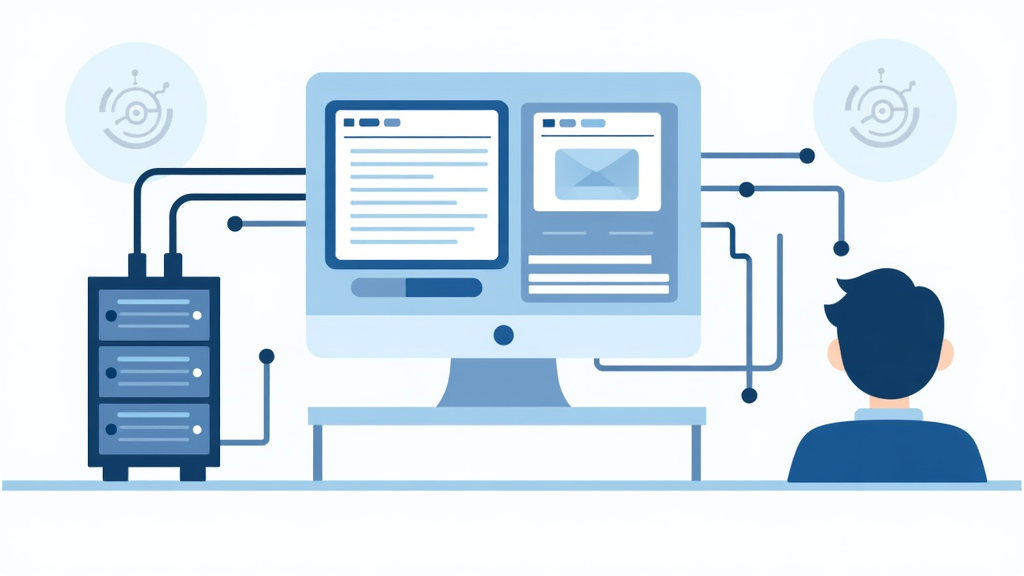
The MCP Server in MAS 9.2: Bridging AI Agents with Maximo Workflows
The release of Maximo Application Suite 9.2 in June 2026 marks a fundamental shift in how organizations can integrate AI with their asset management workflows. The headline feature is not a UI refresh or a new dashboard. It is the MCP Server, a standards-based integration layer that lets external AI agents participate directly in Maximo Manage workflows without manual coordination between disconnected tools.
For years, Maximo integration architecture has followed a predictable pattern: point-to-point connections via the Maximo Integration Framework (MIF), enterprise connectors for SAP and Oracle, and custom API work for everything else. The MCP Server changes this by providing a standardized protocol layer that any AI agent can connect to, regardless of its underlying model or framework. This means an organization could have an IBM Granite-powered agent, a Claude-based assistant, and a custom Python agent all connecting to the same Maximo instance through the same protocol, with no custom integration code for each one.
IBM has been clear about the strategic intent. MAS 9.2 expands AI through MCP, agents, skills, and APIs, making it far easier to bring external AI agents into Maximo-driven workflows so they can participate in execution and coordination, not just offer recommendations. This is a shift from AI as an observer to AI as a participant.
This article breaks down what the MCP Server is, how it fits into the MAS 9.2 architecture, what integration patterns it enables, and what your organization should be thinking about as you evaluate this capability for your environment. We also cover the practical concerns: security, data quality, migration from traditional integration approaches, and the skills your team will need.
What Is the Model Context Protocol
The Model Context Protocol (MCP) is an open standard originally developed by Anthropic that defines how AI applications connect to external tools, data sources, and services in a consistent and scalable way. Think of it as a universal connector layer for AI, similar to how ODBC standardized database connectivity in the 1990s or how REST standardized web API interactions in the 2000s. The protocol has gained rapid adoption across the AI ecosystem, with support from IBM, Microsoft, OpenAI, and other major platform providers.
MCP follows a client-host-server architecture with clear separation of concerns:
- Host: The AI application that receives user requests and seeks access to external context. The host creates and manages multiple client instances, controls connection permissions, enforces security policies, and handles user authorization decisions. Examples include Claude Desktop, IBM watsonx Orchestrate, and custom AI agent frameworks.
- Client: Exists within the host and maintains a 1:1 relationship with a server. The client handles protocol negotiation, capability exchange, routing of protocol messages bidirectionally, subscription management, and security boundaries. Multiple clients can exist within a single host, but each client connects to exactly one server.
- Server: The external service that provides context and capabilities to the LLM. Servers expose resources, tools, and prompts via MCP primitives. They operate independently with focused responsibilities and can be local processes or remote services.
MCP servers expose three types of capabilities:
- Resources: Information retrieval from internal or external databases. Resources return data but do not execute computations. In a Maximo context, this could include asset records, work order histories, inspection results, and meter readings.
- Tools: Functions callable by the LLM, such as creating a work order, updating an asset status, or fetching asset history through an API request. Tools can perform side effects, meaning they can modify data in Maximo, not just read it.
- Prompts: Reusable templates and workflows for LLM-server communication. These allow organizations to codify standard queries and workflows that AI agents can invoke consistently.
The transport layer between clients and servers uses JSON-RPC 2.0 format. Two transport methods are supported:
- Standard input/output (stdio): Best for local integrations due to simple input/output transmission. Used for lightweight, synchronous messaging. Examples include local file systems, databases, and local APIs.
- Server-sent events (SSE): Best for remote resources. HTTP POST requests serve as the mechanism for transmitting client-to-server messages, and SSE is used for the reverse direction. This format handles multiple asynchronous, event-driven server calls simultaneously.
IBM has positioned MCP as complementary to, not replacing, existing agent orchestration frameworks. MCP provides the standardized connection layer; the orchestration logic lives in the host application. This separation of concerns is architecturally significant because it means you can swap AI models, agent frameworks, or host applications without reconfiguring the Maximo integration layer.
How MAS 9.2 Implements MCP
Maximo Application Suite 9.2 implements the MCP Server as a native component of Maximo Manage. This is not a bolt-on add-on or a separate licensed product. It is part of the core platform, which means it inherits the same security model, authentication, and authorization framework as the rest of MAS. This is a critical distinction because it means AI agents are not operating in an unsecured parallel channel; they are operating within the same governance framework as human users.
The MCP Server in MAS 9.2 exposes Maximo Manage APIs through the MCP protocol, enabling AI agents to interact with work orders, assets, inspections, and other core Maximo objects. This is a significant departure from the previous approach where organizations had to build custom middleware or use the MIF to bridge AI tools with Maximo.
Here is a simplified view of the architecture:
[AI Agent / LLM Host]
       |
    [MCP Client]
       |
    (JSON-RPC 2.0 over stdio or SSE)
       |
[MCP Server (MAS 9.2)]
       |
[Maximo Manage APIs]
       |
[Maximo Database / Application]
The MCP Server acts as the translation layer between the AI agent's requests and Maximo's business logic. When an AI agent wants to fetch the work order history for a specific asset, it sends a structured MCP request. The MCP Server translates that into a Maximo API call, retrieves the data, and returns it in a format the LLM can understand. The agent never needs to know the specifics of Maximo's object model, API endpoints, or query syntax.
IBM has confirmed that the MCP Server in MAS 9.2 supports OAuth-based authentication, ensuring that agent operations execute on behalf of authenticated users. This means AI agents operate within the same permission boundaries as human users, and all actions are auditable through standard Maximo logging. If an agent creates a work order, that work order shows the agent's authenticated identity in the audit trail, just as if a human user had created it.
The server also respects Maximo's site and organization security model. An agent authenticated as a user with access to the BEDFORD site cannot query assets at the HOUSTON site through MCP. This is not something the MCP Server enforces separately; it inherits the security model directly from Maximo Manage, which means existing security policies, site permissions, and data restrictions apply without additional configuration.
Integration Patterns Enabled by MCP
The MCP Server opens up several integration patterns that were previously difficult or required custom development. Each pattern addresses a real-world use case that Maximo customers have been attempting to solve with varying degrees of success.
Pattern 1: Natural Language Work Order Queries
An AI agent connected via MCP can let maintenance planners ask questions in natural language: "Show me all open work orders for assets in Building 4 with priority 1 or 2." The MCP Server translates this into the appropriate Maximo API query and returns structured results.
# Example: MCP client querying Maximo work orders
# The MCP server handles the Maximo API translation

result = mcp_client.call_tool(
    "query_work_orders",
    {
        "site": "BEDFORD",
        "building": "BLDG4",
        "priority": ["1", "2"],
        "status": "OPEN"
    }
)

# result contains structured work order data:
# [
#   {wonum: "WO1234", asset: "PUMP-101", status: "APPR",
#    priority: 1, description: "Bearing vibration alarm"},
#   {wonum: "WO1238", asset: "MOTOR-204", status: "WAPPR",
#    priority: 2, description: "Scheduled inspection overdue"}
# ]
This pattern eliminates the need for planners to navigate Maximo's query interface or write SQL. For organizations with maintenance planners who are not Maximo power users, this lowers the barrier to accessing the data they need.
Pattern 2: Repair Assistant with Contextual Data
A repair assistant agent can pull work order history, meter readings, and asset specifications through MCP, then cross-reference this with equipment manuals to provide troubleshooting recommendations. This pattern was demonstrated by community developers using Claude as the MCP client, and it represents one of the most practical early use cases.
The repair assistant workflow looks like this:
- Technician reports a failure on Compressor 101 at site BEDFORD
- AI agent queries MCP Server for work order history on that asset using the
get_wo_historytool - AI agent queries MCP Server for meter readings using the
get_meter_historytool - AI agent retrieves asset specifications and registered manuals via MCP resources
- AI agent cross-references findings with equipment documentation
- AI agent returns troubleshooting recommendations with specific steps, including relevant torque specs, safety procedures, and parts requirements
All of this happens through the same MCP connection, with the same authentication context, and with full audit logging in Maximo. The technician gets a contextual repair guide without leaving their workflow, and every data retrieval action is logged for compliance purposes.
Pattern 3: Conversational Scheduling and What-If Analysis
MAS 9.2 introduces AI-enabled conversational scheduling that lets planners and schedulers explore scenarios using plain language. An agent can query the MCP Server for current work order backlog, resource availability, and capacity constraints, then help the planner evaluate different scheduling scenarios.
The conversational scheduling capability is particularly powerful because it combines real-time data retrieval with analytical reasoning. A planner can ask: "What happens if I add two more technicians to next week's schedule?" The agent queries the current state through MCP, runs the analysis, and returns a comparison of outcomes showing how the additional resources would affect completion dates, backlog reduction, and overtime costs.
Pattern 4: Cross-System Orchestration
Because MCP is a standardized protocol, a single AI agent can connect to multiple MCP servers simultaneously. An agent could connect to the Maximo MCP Server for asset data, an SAP MCP Server for financial data, and a weather API MCP Server for environmental conditions, then correlate all three to make maintenance recommendations.
For example, a utility company could have an agent that:
- Checks Maximo for upcoming preventive maintenance on transformers
- Queries SAP for spare parts inventory and procurement status
- Fetches weather forecasts for the service area
- Recommends rescheduling outdoor maintenance if severe weather is predicted, while also checking whether required parts are in stock
This cross-system orchestration pattern is where MCP delivers the most strategic value. It eliminates the need for point-to-point integrations between every system and enables AI agents to serve as intelligent orchestration layers across the enterprise stack.
MCP vs Traditional Maximo Integration Approaches
To understand where MCP fits, it helps to compare it with existing Maximo integration mechanisms that organizations have been using for years.
| Approach | Best For | Strengths | Limitations |
|---|---|---|---|
| Maximo Integration Framework (MIF) | Batch data exchange, enterprise connectors, ERP sync | Mature, well-documented, enterprise-tested | Requires Maximo-specific expertise; not designed for real-time AI interaction |
| Maximo REST APIs | Custom application integration, single-purpose tools | Flexible, standard HTTP/JSON | Developer must understand Maximo object model; no standard AI layer |
| Enterprise Adaptors (SAP, Oracle) | ERP integration with predefined mappings | Pre-built mappings, vendor-supported | Fixed patterns; not extensible to AI use cases |
| MCP Server | AI agent integration, natural language workflows | Open standard, model-agnostic, real-time | New; requires MAS 9.2; ecosystem still maturing |
MCP does not replace MIF, REST APIs, or enterprise connectors. It adds a new integration path specifically designed for AI interaction. Organizations running MAS 9.1 or earlier will continue to use traditional integration approaches, and even MAS 9.2 shops will use MCP alongside existing integration patterns for the foreseeable future.
The key distinction is that MCP standardizes the AI-to-Maximo connection. Instead of every AI tool building its own custom integration, any MCP-compatible agent can connect to Maximo using the same protocol. This reduces development effort, improves maintainability, and makes it easier to swap AI tools without reconfiguring the integration layer.
A practical concern for organizations is that the MCP ecosystem is still maturing. While the protocol is well-specified and IBM's implementation in MAS 9.2 is production-ready, the number of pre-built MCP servers for enterprise systems is still growing. Organizations looking to do cross-system orchestration may need to build or customize MCP servers for some of their systems.
Practical Implications
For organizations evaluating MAS 9.2, the MCP Server changes the calculus on AI integration. Previously, connecting AI tools to Maximo required custom development for each use case. With MCP, the integration layer is standardized, which means the development effort shifts from building connections to designing agent workflows. This is a significant reduction in complexity, but it does not eliminate the need for careful planning.
Your organization still needs:
- AI agent expertise: Someone needs to configure and manage the AI agents that connect via MCP. This is a new skill set for most Maximo teams. Consider whether you have data scientists, AI engineers, or developer resources who can take on this role, or whether you need to partner with an IBM Business Partner who has AI integration experience.
- Data quality discipline: AI agents are only as good as the data they can access. If your Maximo data is inconsistent, incomplete, or poorly structured, the MCP Server will faithfully expose those data quality issues to your AI tools. Before deploying AI agents, audit your asset hierarchy, work order failure codes, meter reading consistency, and inspection data quality. Common issues include missing failure codes on completed work orders, inconsistent asset naming conventions, and meter readings that are manually entered at irregular intervals.
- Security governance: OAuth-based authentication is solid, but organizations need clear policies about what AI agents are allowed to do through MCP. Work order creation, status changes, and data modifications should have appropriate approval workflows. Consider whether agents should be limited to read-only operations in production initially, with write capabilities enabled only after thorough testing and validation.
- Testing strategy: MCP-based integrations need the same rigor as any other integration. Test in non-production environments first, validate data flows, and establish monitoring for MCP transactions. Pay particular attention to error handling: what happens when the AI agent sends a malformed request, or when Maximo returns an error? The MCP Server should handle these gracefully, but your agent logic needs to account for error responses.
- Change management: Introducing AI agents into Maximo workflows is a cultural change for maintenance teams. Technicians may be skeptical of AI-generated recommendations, and planners may be reluctant to trust AI-suggested schedules. Plan for a phased rollout: start with read-only agents that provide information, demonstrate value, and build trust before introducing agents that can modify data.
For organizations currently on MAS 9.1, the MCP Server is a strong reason to evaluate MAS 9.2. Even if you are not ready to deploy AI agents in production today, having the MCP Server available means you can prototype and test AI integrations without building custom middleware. The Feature Channel for MAS 9.1 allows non-production evaluation of upcoming features, and MAS 9.2 reached general availability in July 2026.
Bottom Line
The MCP Server in MAS 9.2 represents the most significant integration architecture change in Maximo since the introduction of the Maximo Integration Framework. By adopting an open standard for AI-to-Maximo communication, IBM has removed the biggest barrier to practical AI adoption in asset management: the integration complexity that made every AI project a custom build.
Organizations that invest in MCP-based integration patterns now will be positioned to take advantage of the expanding ecosystem of AI agents and tools that support the Model Context Protocol. IBM has indicated that the Granite-powered Maximo Assistant will be upgraded to Granite 4.0, and additional agents for condition insights and asset investment planning are on the roadmap. Each of these agents will connect through MCP, which means the integration investment you make today will pay dividends as new capabilities arrive.
The recommendation is clear: if you are on MAS 9.2 or planning to upgrade, prototype at least one MCP-based AI integration in a non-production environment. The repair assistant pattern is a strong starting point because it delivers immediate value to technicians while exercising the full range of MCP capabilities: resource retrieval, tool invocation, and contextual prompts. Start small, validate thoroughly, and scale from there.

