The Hidden Integration Power Inside Maximo: A Deep Dive into MAS Integration Architecture
A comprehensive look at the integration capabilities built into Maximo Application Suite, including the underutilized IBM App Connect Enterprise entitlement, the modernized SAP connector, and the Manage-MREF integration framework.

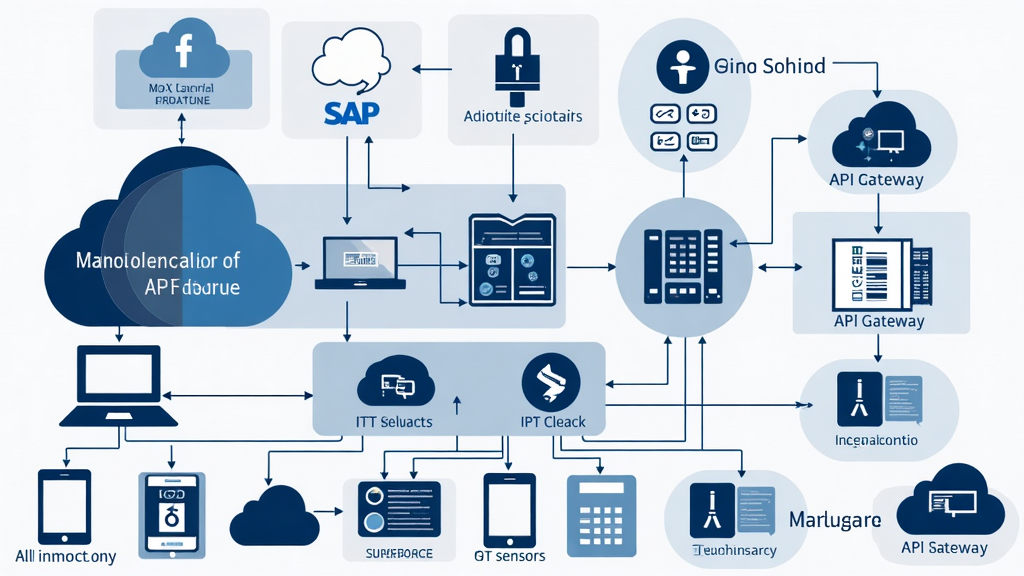
The Hidden Integration Power Inside Maximo: A Deep Dive into MAS Integration Architecture
Integration is where Maximo projects slow down, get expensive, and become dependent on other teams. If you have ever tried to connect Maximo Manage to an ERP, a data lake, or another operational system, you know the pain: custom middleware, fragile BAPI calls, endless mapping documents, and a long trail of integration tickets that never seem to close.
But here is the truth that most Maximo teams do not realize: if you run Maximo Application Suite (MAS), you already have a powerful integration engine included in your license. IBM App Connect Enterprise (ACE) is bundled with MAS under a restricted-use entitlement. It is licensed. It is supported. And it can replace a lot of the fragile middleware complexity that teams typically build from scratch.
This article is a deep dive into the integration architecture available inside MAS today. We will cover the ACE entitlement and what it means for your architecture, the modernized Maximo-SAP connector now supporting SAP Cloud Platform Integration (CPI), the Manage-to-MREF integration framework for real estate and facilities, and practical patterns for building clean, maintainable integrations that do not require a dedicated middleware team.
The ACE Entitlement: Your Hidden Integration Engine
IBM App Connect Enterprise (ACE) is a full-featured integration runtime that supports message transformation, routing, protocol mediation, and API orchestration. It is the evolution of IBM Integration Bus (IIB) and is designed for cloud-native and containerized deployments. What many Maximo customers do not realize is that ACE is included with their MAS subscription under a restricted-use entitlement.
The terms are straightforward: if one side of the integration is MAS, you are covered. This means no extra ACE license, no mandatory SAP middleware, and no custom BAPI gymnastics. You can use ACE to connect Maximo to SAP, Oracle, Salesforce, SQL databases, file systems, MQ queues, Kafka topics, or any REST or SOAP endpoint.
Here is what this entitlement enables in practice:
- Protocol mediation: ACE can receive messages from Maximo via MIF (Maximo Integration Framework) over HTTP, JMS, or MQ, transform them, and forward them to any target system.
- Data transformation: ACE includes a rich mapping toolkit for converting between XML, JSON, CSV, COBOL copybooks, and industry-standard formats like EDI and SWIFT.
- API orchestration: ACE can compose multiple API calls into a single integration flow, handling error compensation and retry logic.
- Content-based routing: Messages can be routed to different targets based on payload content, headers, or environmental conditions.
A typical architecture using ACE looks like this:
Maximo Manage --> MIF Publish Channel --> HTTP/JSON --> ACE Flow --> Target System
                                                                         |
                                                                    (SAP, Oracle,
                                                                     Data Lake, etc.)
The ACE flow handles transformation, enrichment, error handling, and delivery confirmation. If the target system is unavailable, ACE can queue messages, retry with exponential backoff, and alert operations teams when delivery fails.
For teams that have been building custom integration layers using Python scripts, Node.js microservices, or third-party iPaaS tools, ACE represents a significant reduction in complexity. It is already in your stack. You just need to use it.
Configuring ACE for Maximo Integration: A Step-by-Step Walkthrough
Setting up ACE to receive messages from Maximo involves several key steps. First, you create an Object Structure in Maximo Manage that defines the data you want to publish. For example, to publish work order changes, you would use the MXWO object structure, which includes the work order header, associated tasks, labor assignments, and material requirements.
Next, you create a Publish Channel in the MIF configuration. The channel specifies the transport mechanism (HTTP, JMS, or MQ), the endpoint URL (pointing to your ACE flow), and the authentication method. For HTTP-based integration, the channel configuration looks like this in the Maximo database:
-- Example: Creating an HTTP Publish Channel for Work Orders
INSERT INTO PUBLISHCHANNEL (CHANNELNAME, OBJECTNAME, TRANSPORTTYPE,
                            URL, ENABLED, TOPICLEVEL)
VALUES ('WO_TO_ACE', 'MXWO', 'HTTP',
        'http://ace-server:7800/maximo-wo-flow', 1, 1);
On the ACE side, you create a REST API flow that listens for incoming POST requests from Maximo. The flow parses the JSON payload, applies any necessary transformations using ACE's Mapping node, and routes the message to the target system. Error handling is built into the flow using ACE's TryCatch and Failure terminals, which can log errors, send alerts, or route failed messages to a dead-letter queue for manual review.
Real-World ACE Integration Scenarios
Consider a utility company that needs to synchronize work order status changes from Maximo to their SAP ECC system for cost accounting. Without ACE, this typically requires a custom Java adapter or a third-party middleware tool. With ACE, the flow is:
- Maximo publishes work order status changes via MIF HTTP channel
- ACE receives the JSON payload and transforms it to the SAP IDoc format
- ACE sends the IDoc to SAP via the SAP adapter node
- SAP processes the IDoc and updates the project system and cost center accounting
- ACE receives the SAP response and publishes a confirmation back to Maximo
The entire flow is configured in ACE Toolkit, deployed as a BAR file to the ACE runtime, and managed through the ACE dashboard. No custom code. No separate middleware licensing. No dependency on an integration team outside the Maximo organization.
The Modernized Maximo-SAP Connector
In March 2026, IBM released a significant update to the Maximo Connector for SAP Applications. The connector has been modernized to support SAP Cloud Platform Integration (SAP CPI) as the middleware layer, replacing the legacy SAP PI/PO adapter. This is a major architectural shift that aligns Maximo with SAP's current cloud integration direction.
The key changes in this update include:
- Middleware transition from SAP PI/PO to SAP CPI: All existing interface logic, business scenarios, mappings, and integration patterns continue to function without modification. The transition is transparent to existing Maximo-SAP integrations.
- Cloud-native integration patterns: SAP CPI provides a cloud-native integration runtime with built-in monitoring, alerting, and lifecycle management. This eliminates the need to maintain on-premises PI/PO infrastructure.
- Forward compatibility: The modernized connector is available now in the MAS February Feature Channel for non-production use, supported for MAS 9.1 and all forward versions. Production readiness is planned with MAS 9.2 GA.
For organizations running both Maximo and SAP, this update is significant. The SAP PI/PO adapter has been a reliable but aging component of the Maximo integration stack. Moving to SAP CPI removes a dependency on on-premises middleware infrastructure and aligns with SAP's stated direction of retiring PI/PO in favor of CPI.
The integration patterns remain the same:
Maximo Manage --> MIF --> SAP CPI --> SAP ECC/S4HANA
All existing business scenarios -- material master synchronization, work order accounting, equipment master updates, and notification integration -- continue to work without modification. The only change is the middleware layer.
For teams planning their SAP integration roadmap, the recommendation is clear: begin testing with SAP CPI in non-production environments now. The connector is available and supported. When MAS 9.2 reaches GA, you will be ready for production cutover.
Migration Path from PI/PO to CPI
Migrating from SAP PI/PO to SAP CPI requires careful planning but is manageable with the right approach. The recommended migration path involves three phases:
Phase 1: Assessment and Inventory (2-4 weeks) Catalog all existing Maximo-SAP integration scenarios. Document the message types, mapping requirements, and business rules for each scenario. Identify which scenarios are critical path and which can be migrated later.
Phase 2: CPI Sandbox Validation (4-6 weeks) Set up an SAP CPI tenant and configure the modernized Maximo connector. Test each integration scenario in isolation, comparing output with the existing PI/PO implementation. Validate that all business rules and mappings produce identical results.
Phase 3: Parallel Run and Cutover (4-8 weeks) Run both PI/PO and CPI in parallel for critical integration scenarios. Monitor for discrepancies and resolve any issues. Once confidence is established, decommission the PI/PO interfaces and cut over fully to CPI.
Manage-MREF Integration: Breaking Down the Silos
One of the most impactful integration developments in the MAS ecosystem is the native integration between Maximo Manage and Maximo Real Estate and Facilities (MREF, formerly TRIRIGA). This integration, detailed in the SWMUG March 2026 roadmap presentation, creates a unified asset and facility management platform that breaks down the traditional silos between maintenance and real estate teams.
The integration architecture is designed around a linked-database model rather than a combined-database model. Manage and MREF maintain separate database instances -- Manage for operational asset data and MREF for location and spatial data -- with real-time synchronization of key data elements between them.
The data flow works in two phases:
- Initial load: Location hierarchy data (property, building, floor, space, subspace) is loaded from MREF into Manage. Each level is loaded sequentially to maintain referential integrity.
- Delta synchronization: Ongoing changes are synchronized bi-directionally using MIF publish channels with REST APIs. Locations are queued in JMS or Kafka and delivered to MREF via its HTTP endpoint.
The integration uses a five-level location hierarchy that must align between Manage and MREF:
| Level | Description | Example |
|---|---|---|
| 1 | Property | Corporate Campus |
| 2 | Building | Building A |
| 3 | Floor | Floor 3 |
| 4 | Space | Conference Room 3B |
| 5 | Subspace | Server Rack 7 |
After locations are synchronized, the integration extends to assets, people, and work orders. This enables complete operations and maintenance workflows powered by Maximo Mobile and Field Service Management, with unified data across both systems.
The business value of this integration is substantial:
- Unified asset and space management: Link assets with facility spaces for optimized utilization, breaking down organizational silos.
- Data accuracy and consistency: Shared data eliminates duplication, rekeying, and errors between maintenance and facilities teams.
- Operational efficiency: Each system plays to its strengths while sharing data, accelerating insights and reducing operational costs.
- Financial and strategic planning: Combine real estate and asset lifecycle costs for better capital planning decisions.
- Compliance and risk management: Track regulatory requirements across both facilities and assets from a single operational view.
Technical Implementation Details
The Manage-MREF integration uses a queue-based architecture to ensure data consistency. When a location is created or updated in Manage, the MIF publish channel writes the change to a JMS queue. A consumer process reads from the queue and calls the MREF REST API to create or update the corresponding location record.
The queue is sequential, meaning locations are processed in order to maintain the parent-child hierarchy. If a building record arrives before its parent property record, the consumer holds it in a retry queue until the parent is available. This prevents orphan records and ensures referential integrity.
Customers and partners must configure mappings to reflect changes to base business objects. The integration framework provides default mappings for standard fields, but custom fields require additional configuration. IBM provides documentation and sample configurations for common scenarios.
Practical Integration Patterns for Maximo Architects
Beyond the specific connectors and frameworks discussed above, there are several integration patterns that every Maximo architect should have in their toolkit. These patterns work across all versions of MAS and can be implemented with or without ACE.
Pattern 1: Event-Driven Integration with MIF and Kafka
Maximo Integration Framework (MIF) supports publishing object changes to JMS topics or Kafka topics. This is the foundation for event-driven architectures where downstream systems need to react to asset, work order, or inventory changes in real time.
Configuration is straightforward:
1. Create an Object Structure in Maximo (e.g., MXWO for work orders)
2. Create a Publish Channel with Kafka as the transport
3. Configure the channel to publish on Save, Add, or Delete events
4. Downstream consumers subscribe to the Kafka topic
This pattern is ideal for feeding a data lake, triggering maintenance notifications, or synchronizing with a digital twin platform.
Pattern 2: REST API Gateway with API Key Authentication
MAS exposes a comprehensive set of REST APIs for all major business objects. For external systems that need to query or update Maximo data, a REST API gateway with API key authentication provides a clean, secure integration point.
POST /api/rest/v1/mxwo?apikey={key}
Content-Type: application/json

{
  "wonum": "WO-2026-001",
  "description": "Replace bearing on Pump P-101",
  "assetnum": "P-101",
  "siteid": "MAIN"
}
Pattern 3: File-Based Integration for Bulk Data Exchange
For scenarios where real-time integration is not required, file-based integration using CSV or XML files remains a reliable pattern. MIF supports flat file structures, and ACE can handle file pickup, transformation, and delivery. This pattern is particularly useful for initial data migrations, monthly reporting feeds, and batch synchronization with legacy systems.
Pattern 4: MCP Server for AI Agent Integration
With MAS 9.2, IBM introduced the MCP Server capability, which allows organizations to bring their own AI agents and integrate them directly with Maximo Manage APIs. This enables AI to participate in operational processes without relying on manual coordination between disconnected tools. The MCP Server exposes Maximo business objects through the Model Context Protocol, allowing AI agents to query work orders, update asset records, and trigger workflows programmatically.
Practical Implications
The integration capabilities available in MAS today represent a significant step forward for Maximo architects and integration specialists. The ACE entitlement alone can eliminate the need for separate middleware licensing, reducing both cost and architectural complexity. The modernized SAP connector ensures forward compatibility with SAP's cloud strategy, protecting existing integration investments. The Manage-MREF integration creates a unified platform for asset and facility management that was previously impossible without custom development.
For organizations planning their integration roadmap, the practical steps are:
- Audit your current middleware stack and identify where ACE can replace custom or third-party integration layers.
- Begin testing the SAP CPI connector in non-production environments to validate your existing integration scenarios.
- Evaluate the Manage-MREF integration if you manage both maintenance and facilities operations.
- Standardize on REST APIs and event-driven patterns for new integrations, reserving file-based patterns for bulk data scenarios.
- Explore the MCP Server capability in MAS 9.2 for AI agent integration use cases.
Common Pitfalls to Avoid
Even with the right tools, integration projects can go wrong. Here are the most common pitfalls we see in Maximo integration projects and how to avoid them.
Pitfall 1: Over-engineering the integration layer. Teams sometimes build complex orchestration flows when a simple publish-subscribe pattern would suffice. Start simple. Use MIF publish channels with direct HTTP endpoints before introducing ACE or other middleware. Add complexity only when you have a concrete requirement for transformation, routing, or error handling that the simple pattern cannot satisfy.
Pitfall 2: Ignoring error handling and monitoring. An integration that works perfectly in testing but fails silently in production is worse than no integration at all. Every integration flow should include error logging, alerting, and a dead-letter queue for failed messages. ACE provides built-in support for all of these, but you must configure them intentionally. Do not assume that a successful HTTP 200 response means the downstream system processed the message correctly.
Pitfall 3: Neglecting data governance. When data flows between Maximo and other systems, questions of data ownership, synchronization frequency, and conflict resolution arise. Who owns the asset master record? What happens when Maximo and SAP both update the same equipment description? These questions must be answered before the integration goes live. Establish a data governance framework that defines system of record, synchronization rules, and escalation procedures for data conflicts.
The Bottom Line
Maximo Application Suite ships with more integration power than most teams realize. The ACE entitlement, the modernized SAP connector, and the Manage-MREF integration framework provide a comprehensive toolkit for connecting Maximo to the rest of your enterprise. The key is knowing what is available and designing your integration architecture to leverage it.
The days of building custom middleware for Maximo integrations are ending. The pieces are already in your stack. Use them. Whether you are connecting to SAP, synchronizing with a facilities management system, or building an event-driven data pipeline, MAS has the integration capabilities you need. The only question is whether you will take advantage of them.

